Editing & Content
How do I get quick-add buttons in my daily note?
Editing & Content
How do I get quick-add buttons in my daily note?
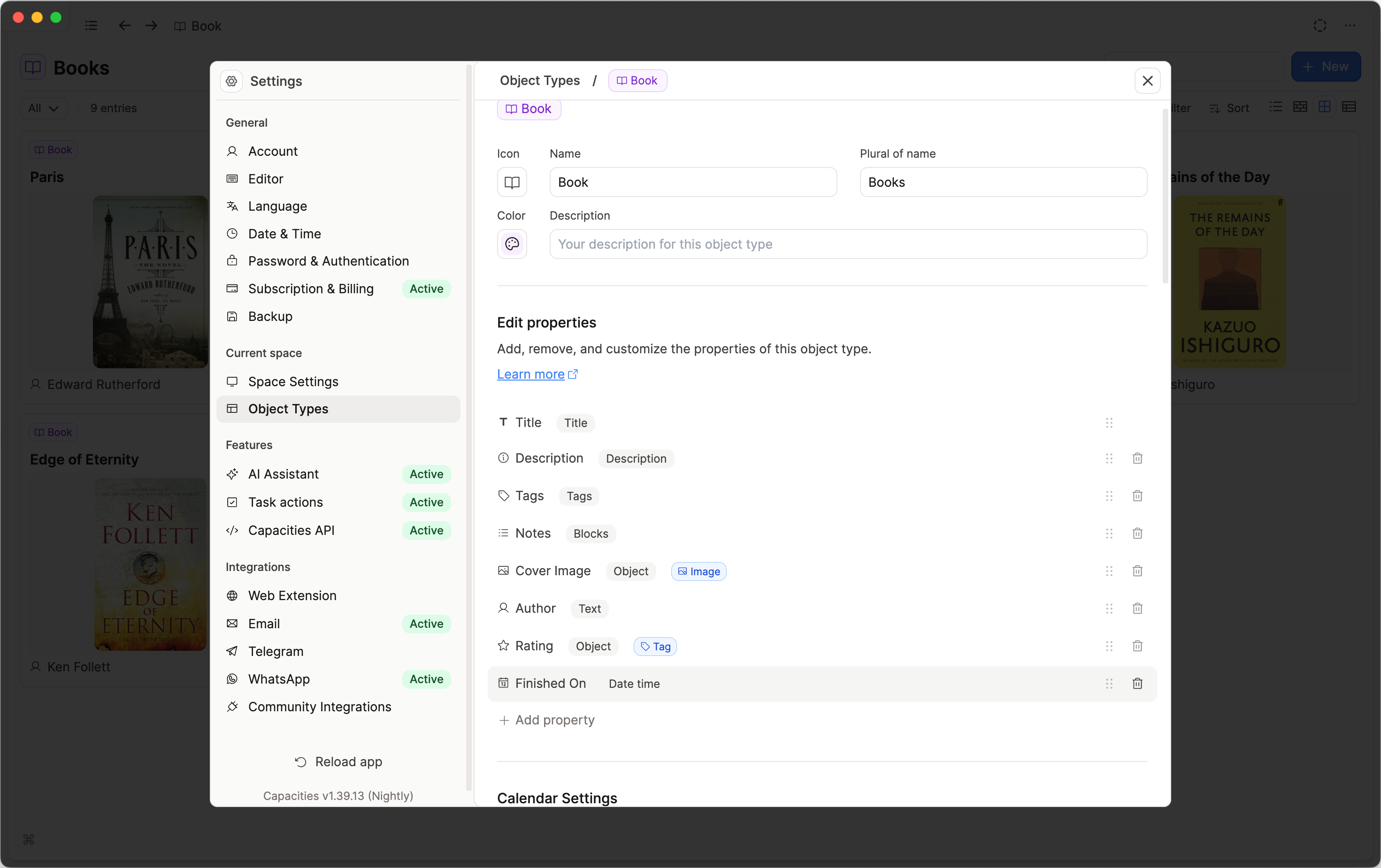
If your object type has a date property, you will get a button on your daily note. Creating an object from that daily note will automatically add the date to that new object.
If you are missing a button you'd like, simply add a date property to that object type in the settings. Note this only works for custom object types.
Are you missing something in the documentation?
Ask a question! - The Docs Assistant knows everything about the documentation, and the ideas and feature requests from other users.
Create a ticket on our feedback board. - Let us know if you have an idea for a feature, improvement or think there is something missing.
Request additions to the documentation. - If your questions are not getting answered, let us know and we will extend the documentation.