Switching guides
Switching from Apple Notes to Capacities
Switching guides
Switching from Apple Notes to Capacities
For a scannable feature and pricing comparison, see Capacities vs Apple Notes on the marketing site.
If you are actively migrating, read Understanding the paradigm shift first, then follow Import from Apple Notes.
Apple Notes is built around folders, subfolders, and lightweight notes. You can add tags, create Smart Folders, and link notes to each other, but the core model stays document-centric.
Capacities is object-centric. Every piece of content is an object with a type, title, properties, and body. Instead of organizing mostly by folder location, you build relationships between objects and navigate through links, references, and your object types.
If you currently use Apple Notes as a capture tool or a quick notes system, Capacities might feel more structured. If you want your notes to become a connected knowledge system over time, that structure is the main benefit.
At Capacities we spend a lot of time thinking about every way we can enhance the knowledge work process for individuals, regardless of what you use the app for. Whether you're a student, a researcher, a developer, or use Capacities for your own personal use, we're building Capacities for you. We know you care about the work you do, and we care about making the workflows and thinking around your work easier, so you can spend more time on the things that truly matter for you. No more tinkering with complex systems, no more endless setups or searching for a note you know you wrote down somewhere. Just simple, elegant systems that get out of the way and let you do your best work.
Concept mapping
| Apple Notes | Capacities |
|---|---|
| Note | Object |
| Folder / Subfolder | Object type dashboards, collections, queries |
Tag (#work) | Tag object + properties/relations in your object types |
| Smart Folder (filters) | Query (saved, reusable view) |
Note link (>>) | Object links with @ or [[ + block references |
| Pinned note | Pinned objects/views in dashboards |
| Share note/folder | Share objects/pages (depending on space setup) |
Day-to-day differences
Organization model
Apple Notes uses a hierarchical sidebar with folders and subfolders. A note usually "lives" in one place, and tags/Smart Folders help surface it elsewhere.
Capacities is less about "where a note lives" and more about "what this thing is" and "how it connects." You can still create order, but it comes from type, properties, and relations rather than strict folder nesting. A hierarchical folder structure isn't how our brains work, and Capacities' object types better reflect our natural thinking and processing patterns. The difference might feel a bit stark at first especially if you're used to files and folders, but once object types click for you, you'll be surprised at how little you have to worry about organization.
Structure and metadata
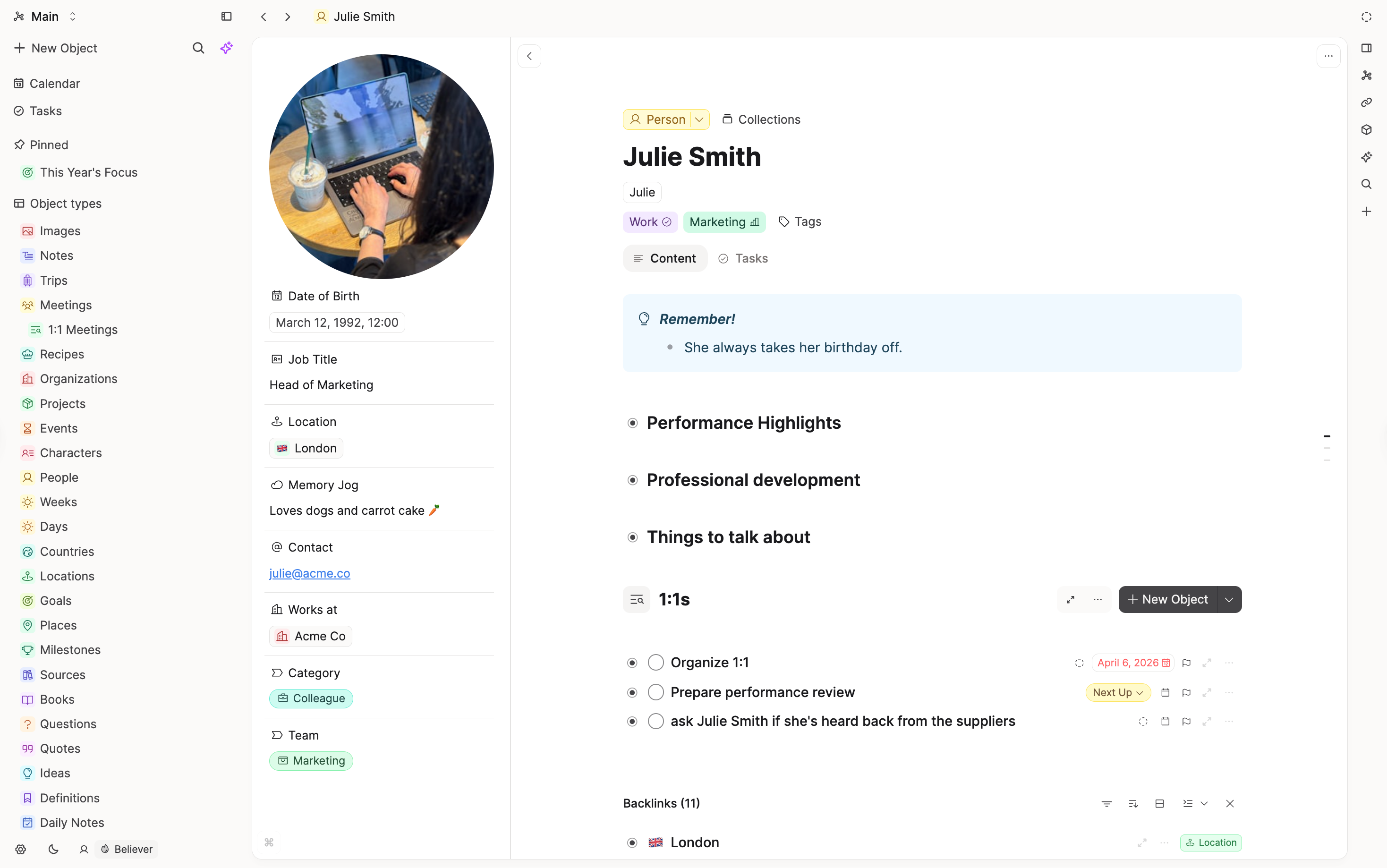
In Apple Notes, metadata is relatively light (tags, mentions, checklists). In Capacities, properties are a core part of object types, and is one of the differentiators between them.
That means your "Meeting," "Book," "Project," and "Person" can each have their own setup out of the box. You choose what type of note you are creating first, and the relevant setup is loaded for you. You never start with a blank note.
Linking and context
Apple Notes supports internal note links, which is useful for jumping between notes.
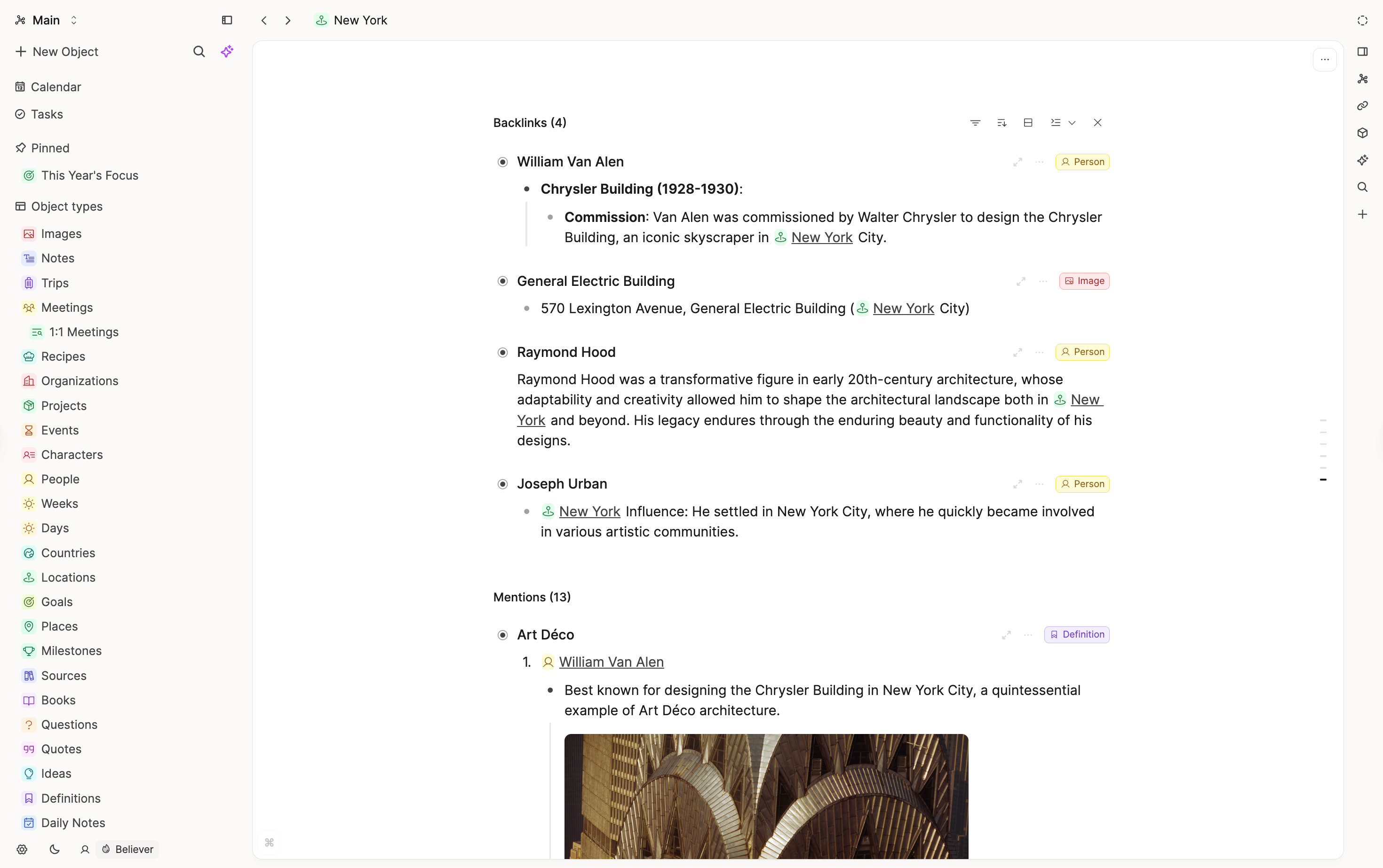
Capacities treats linking as a core workflow: backlinks, references, and object relations are central to navigation, discovery and building your knowledge. By linking your notes to one another, you'll create an organic network of knowledge over time, which can be an incredibly powerful tool for thought.
Capture flow
Apple Notes is extremely fast for quick capture, especially in the Apple ecosystem.
Capacities keeps low-friction capture via daily notes and has multiple input integrations. You can review captured content later and make any decisions about the type of note you want your thoughts to become.
Specific features
Tags and filtered views
Apple Notes: Strong tag support and Smart Folders with rules (tags, dates, checklists, mentions).
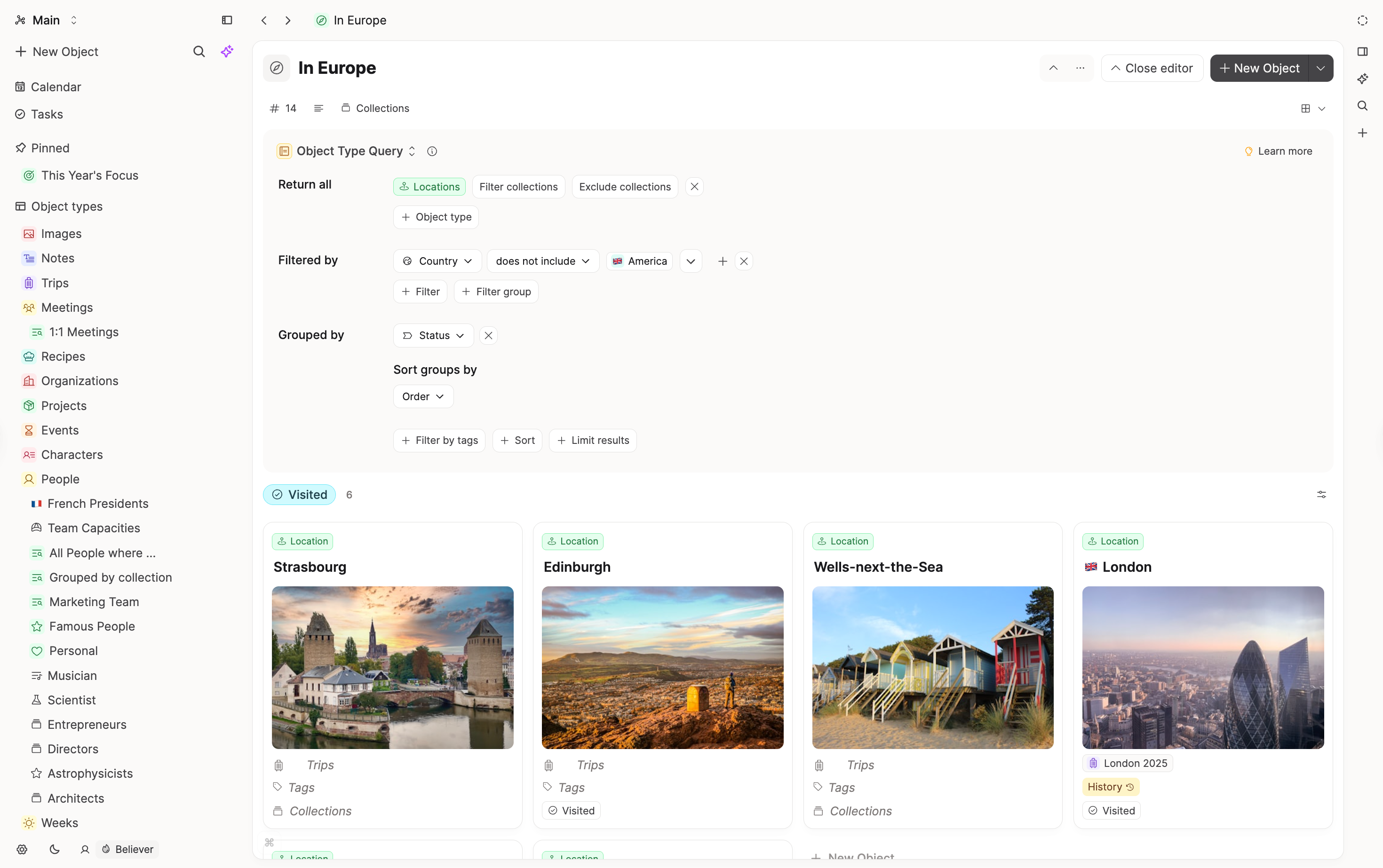
Capacities: Queries and filtered views tied to object types and properties; better for reusable, structured views.
Tasks and action tracking
Apple Notes: Works for checklists in individual notes, but task tracking across contexts is limited.
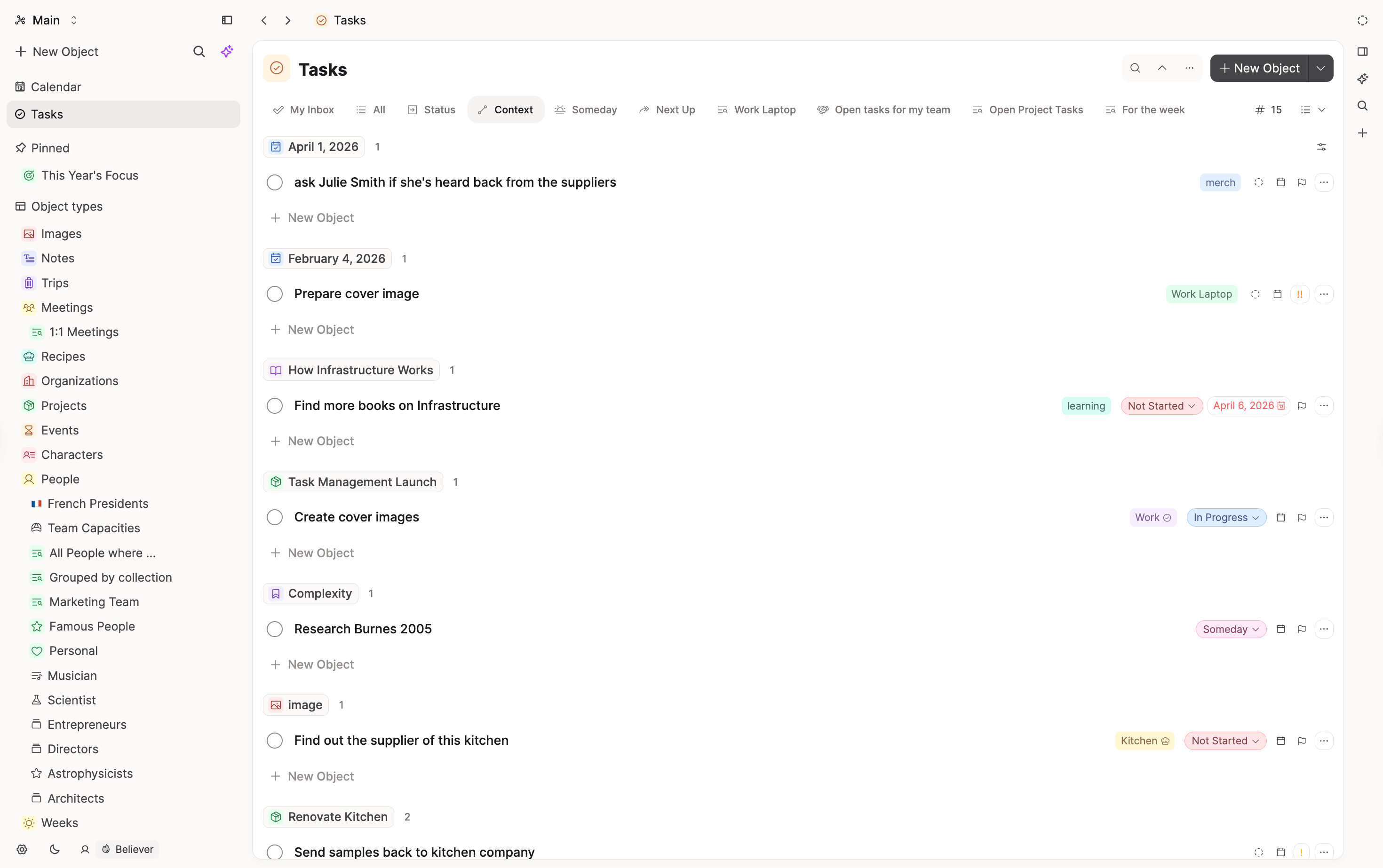
Capacities: Tasks can be managed across your workspace with linked context, making it easier to move from notes to action.
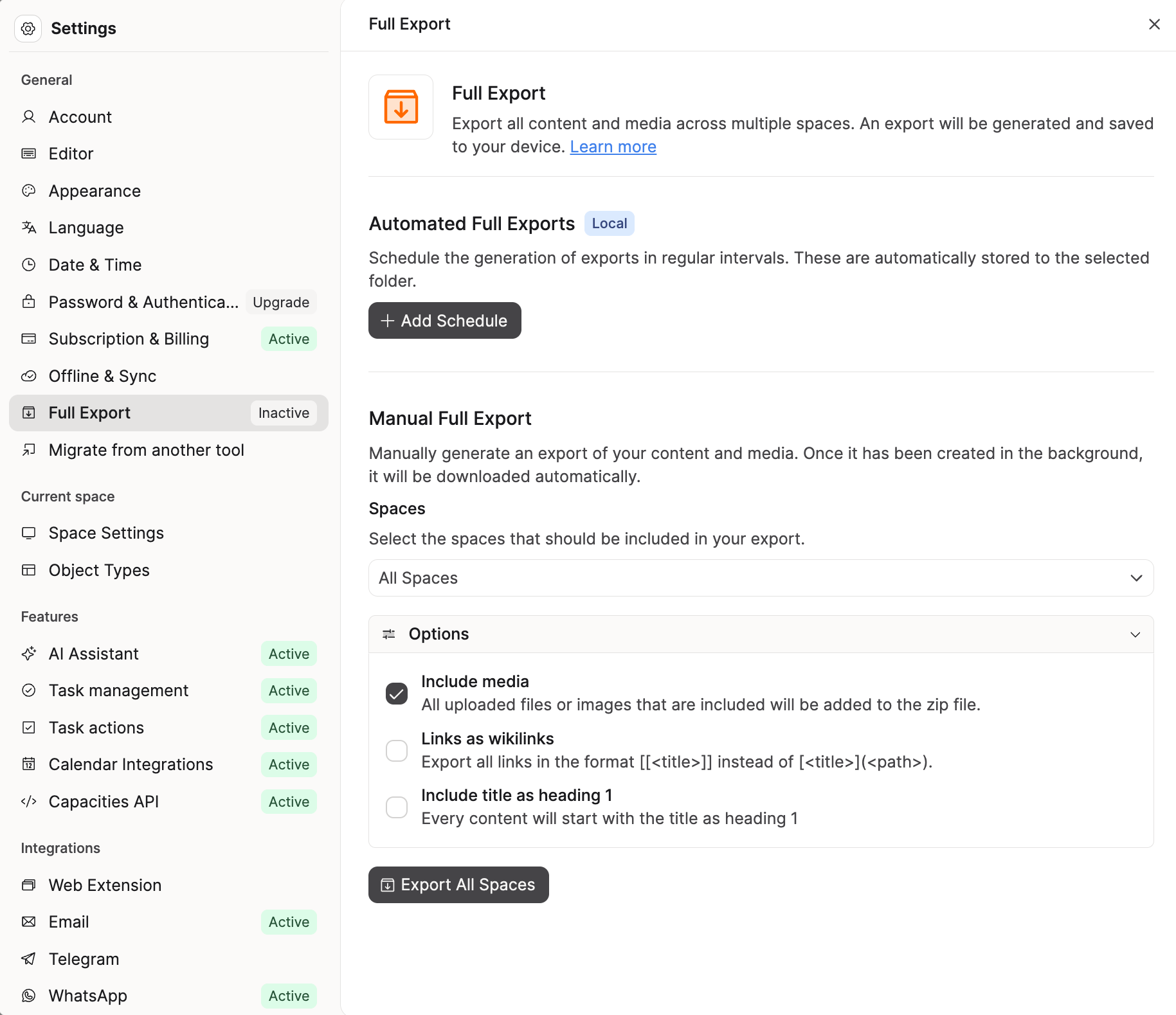
Export and portability
Apple Notes: Export note as PDF or Markdown (Mac), with practical limits around batch/full-workspace portability.
Capacities: Full exports are designed for portability (Markdown + front matter, CSV for collections, local links preserving graph structure), plus automated exports.
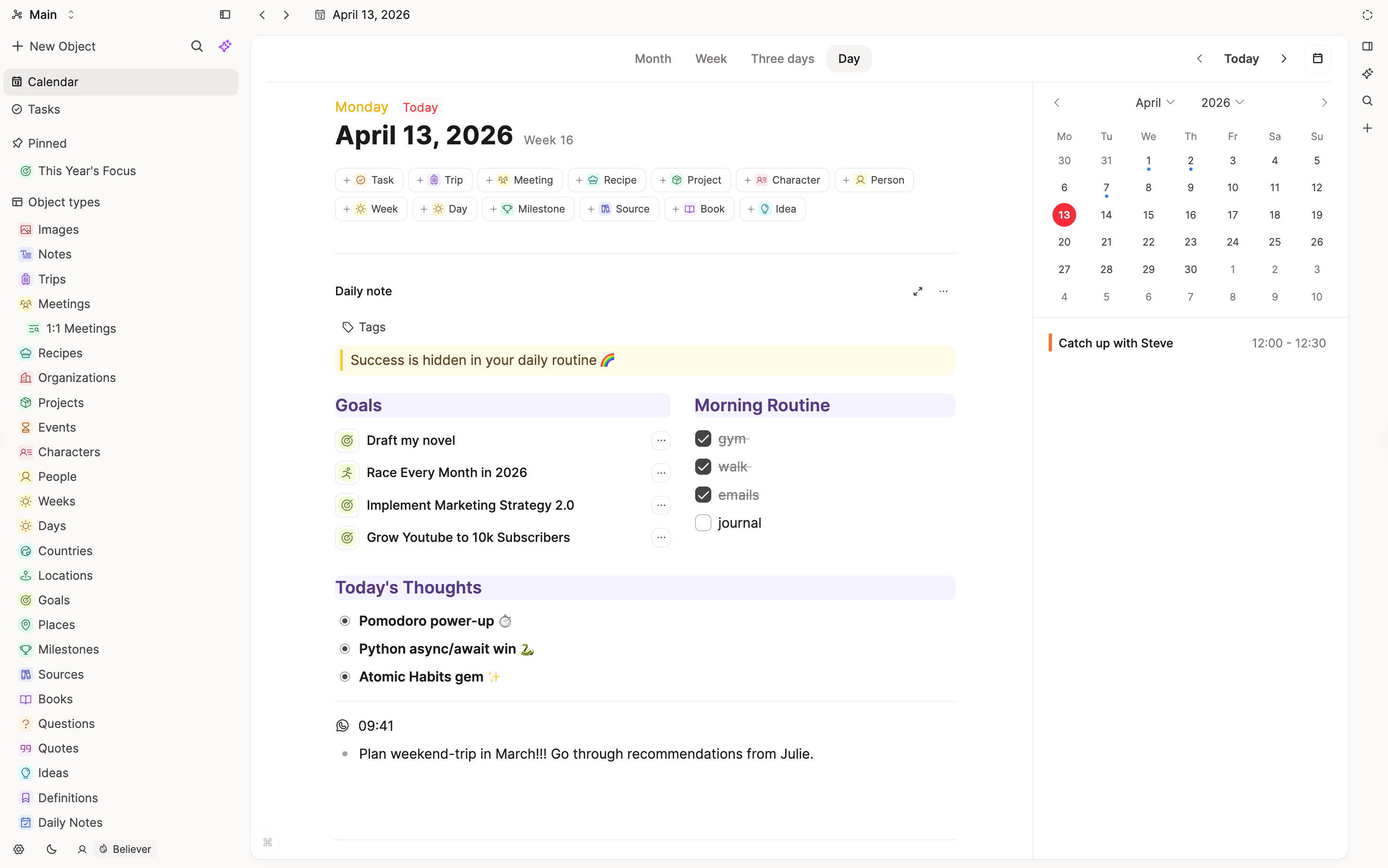
Calendar and daily workflow
Apple Notes: Good for date-stamped journaling, but no comparable object-calendar graph workflow.
Capacities: Daily notes + calendar views + date links + date properties across object types.
Ecosystem posture
Apple Notes: Deep Apple ecosystem integration and native simplicity.
Capacities: Cross-platform knowledge workflow designed for long-term PKM and connected thinking.
What doesn't map 1:1
Smart Folders vs queries
Smart Folders are useful but limited (for example, constraints around sharing/locking/subfolder behavior). Capacities queries are more powerful.
"Just a note" vs "typed object"
Apple Notes defaults to free-form notes. Capacities defaults to typed objects. Daily notes in Capacities cover the "just jot it down" workflow, but every object (note) has a type.
Team and philosophy
Capacities is built by a small, bootstrapped team based in Europe. Our philosophy is to prioritize clear concepts, stability, and a calm product over endless customization, as outlined in our product principles.
We aim for powerful but opinionated defaults, with features that integrate deeply rather than a long list of toggles. When making product decisions, we default to simplicity, coherence, and long-term maintainability so the tool stays approachable as your workspace grows.
FAQs
- Can I still capture quickly like in Apple Notes?
Yes. Use daily notes for quick capture. - Do I need to define lots of structure before starting?
No. Start with a few core types (for example: Project, Person, Meeting) and evolve gradually. - Can I link between notes like Apple Notes?
Yes, and you can go further with object relations, references, and backlinks. - Will my data be portable?
Yes. Capacities export is designed to stay human-readable and reusable outside the app.
Import your content
This page is the concept map. When you are ready to move notes, follow Import from Apple Notes.
Ask a question! - The Docs Assistant knows everything about the documentation, and the ideas and feature requests from other users.
Create a ticket on our feedback board. - Let us know if you have an idea for a feature, improvement or think there is something missing.
Request additions to the documentation. - If your questions are not getting answered, let us know and we will extend the documentation.