Switching guides
Switching from Notion to Capacities
Switching guides
Switching from Notion to Capacities
For a scannable feature and pricing comparison, see Capacities vs Notion on the marketing site.
If you are actively migrating, read Understanding the paradigm shift first, then follow Import from Notion.
Notion is a workspace for teams and individuals: pages, blocks, and especially databases with properties, views, and automations. Flexibility is the product—you can model almost anything, often with a folder-and-table mental model.
Capacities is object-centric and built for personal knowledge management first. Every piece of content is an object with a type, title, properties, and body. Objects are not tied to a single database; they live in a network you can reference from meetings, projects, daily notes, and the calendar without deciding a parent location first.
If you rely on Notion for collaboration, company workflows, or shared docs, Capacities is not a drop-in replacement. If you find that strict hierarchies and database boundaries slow you down, or you want a tool built around how one person thinks and connects ideas rather than how a team manages information, that is where the difference matters.
At Capacities we spend a lot of time thinking about every way we can enhance the knowledge work process for individuals, regardless of what you use the app for. Whether you're a student, a researcher, a developer, or use Capacities for your own personal use, we're building Capacities for you. We know you care about the work you do, and we care about making the workflows and thinking around your work easier, so you can spend more time on the things that truly matter for you. No more tinkering with complex systems, no more endless setups or searching for a note you know you wrote down somewhere. Just simple, elegant systems that get out of the way and let you do your best work.
Concept mapping
| Notion | Capacities |
|---|---|
| Page | Object of a specific type. Page is the general-purpose default |
| Database | Object type (+ collection / table-style views for that type) |
| Database row | Object of that type |
| Property | Property |
| Relation | Object links and relations between types (see Object Selects) |
| Linked database / view | Embedded query, collection, or tag |
| Sidebar hierarchy | Object types, calendar, tags—not a single page tree |
| Block | Block in the object body |
| Workspace / team space | Capacities space (personal-first; there are no team spaces.) |
Day-to-day differences
Tables, folders, and where things “live”
In Notion, a typical pattern is: create a People database, then always create people inside that database. Your people “live” there even when you link to them elsewhere.
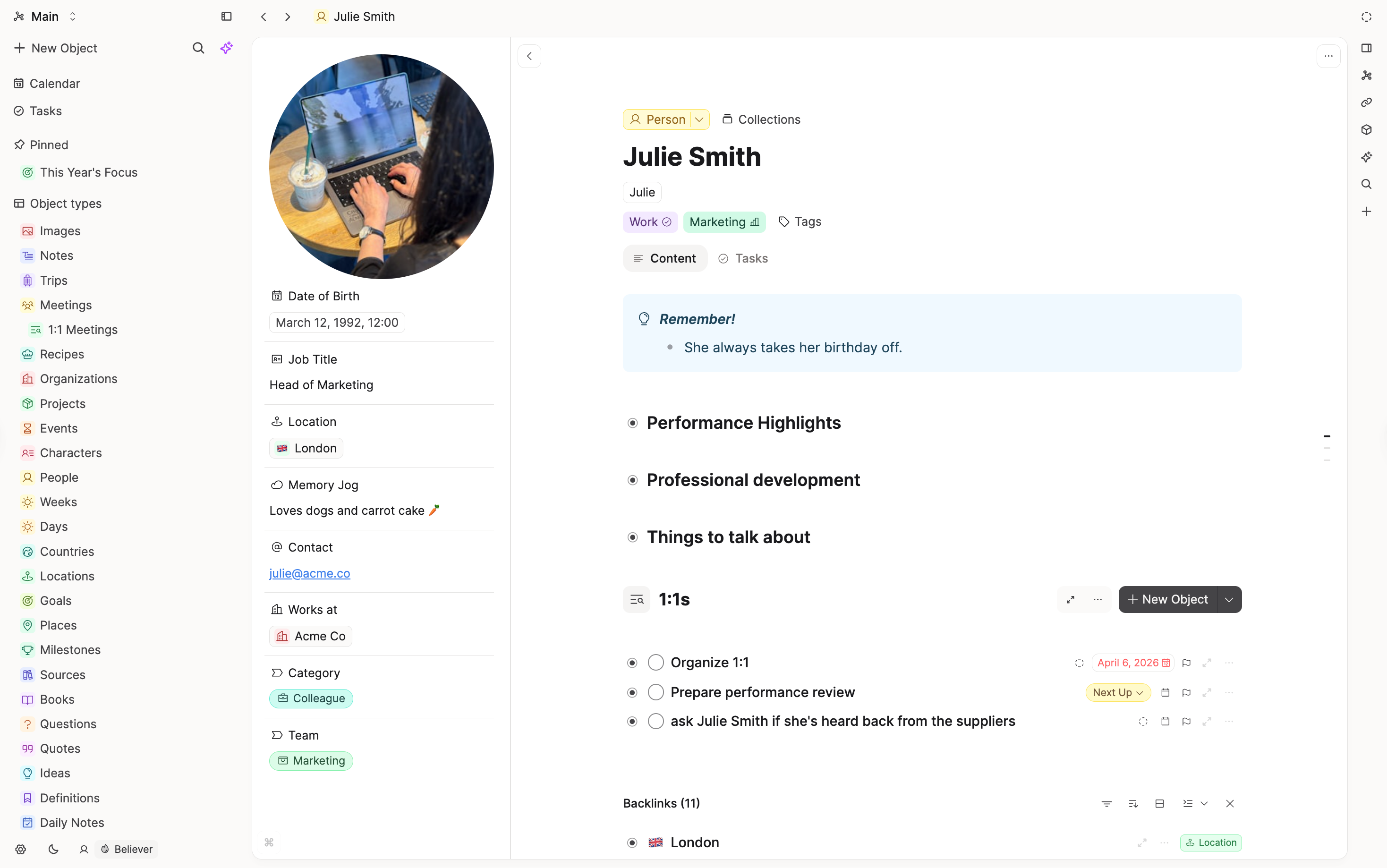
In Capacities, once you define a Person type, you can create a person from a meeting note, the calendar, or anywhere else. The object is not owned by one container; context comes from links and backlinks.
Collaboration vs private thinking
Notion optimizes for teams, permissions, and shared workflows—strengths that shape the roadmap.
There is no collaboration in Capacities. It's a tool for individuals. That focus shows up in product choices around individual capture, calendar, and networked objects rather than enterprise feature depth.
Media and files
In Notion, files and clips usually sit inside a page.
In Capacities, images, PDFs, and web links can be first-class objects with their own notes and reuse across contexts—useful if screenshots, readings, and references are central to how you think.
Getting started
Notion’s power often means building your system before you trust it. Capacities ships with a clear spine: calendar and daily notes, automatic homes for content by type, and room for custom types on top—so you can start simple and extend gradually.
Specific features
Calendar and daily notes
Notion: Databases and templates can approximate journals; no built-in calendar-of-days as a core pillar.
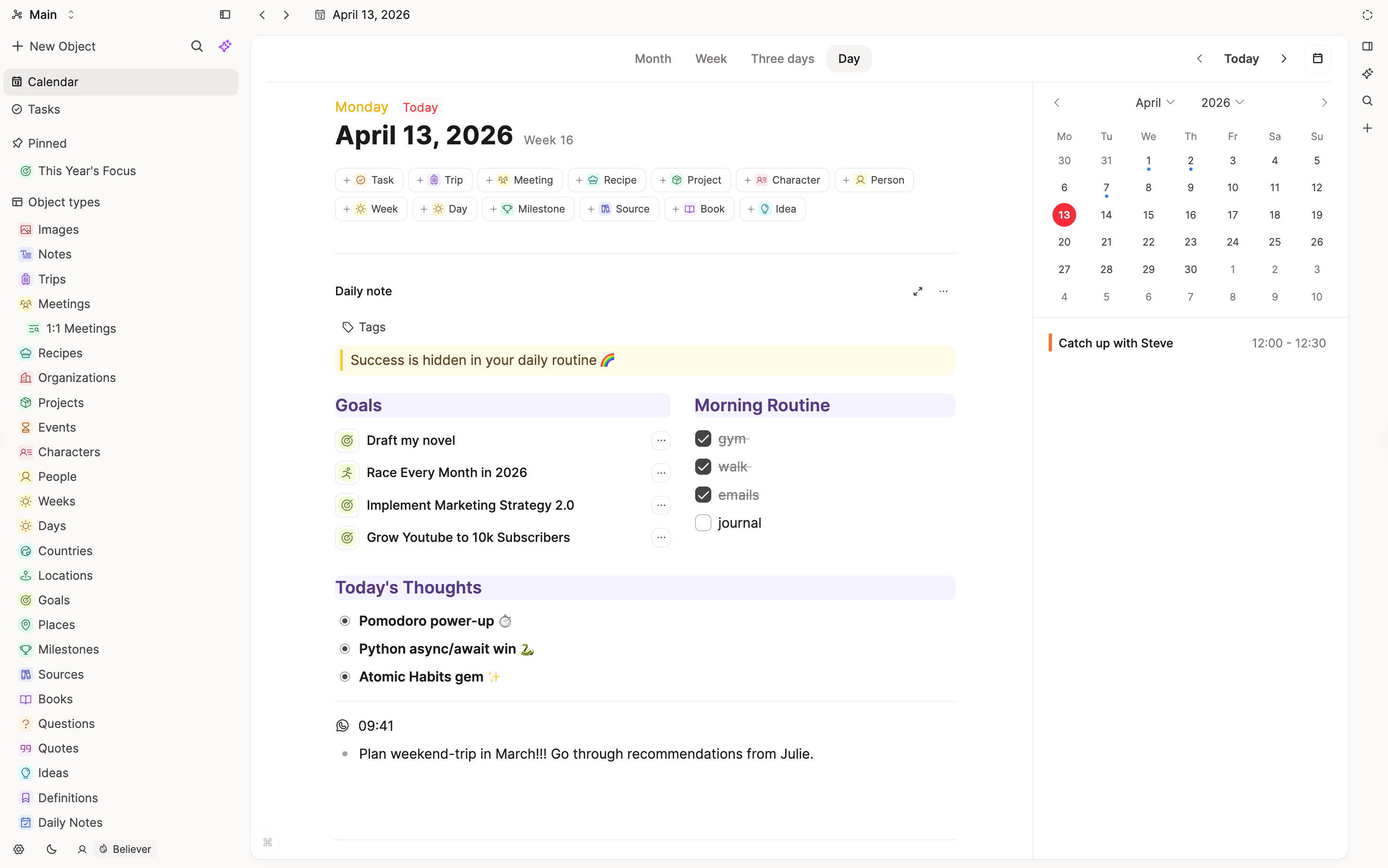
Capacities: Calendar with daily notes, multi-day review layouts, and date-linked content surfaced on each day.
Links and network
Notion: Backlinks and page mentions exist, but linking is not central to how most people navigate or build their workspace.
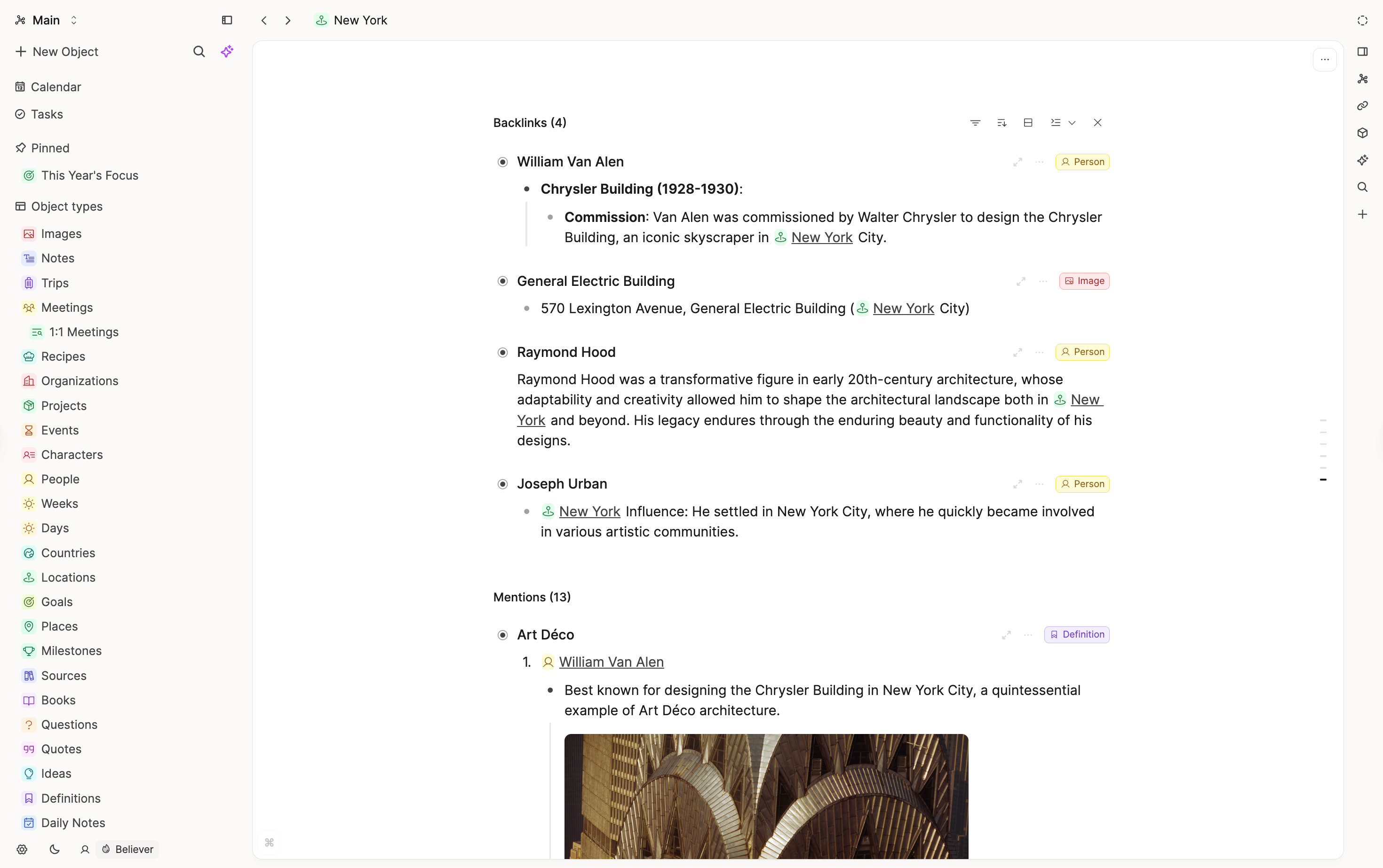
Capacities: Networked objects with rich link and embed patterns. Backlinks, references, and object relations are core to navigation and building your knowledge over time.
Views
Notion: Powerful database views (table, board, gallery, etc.).
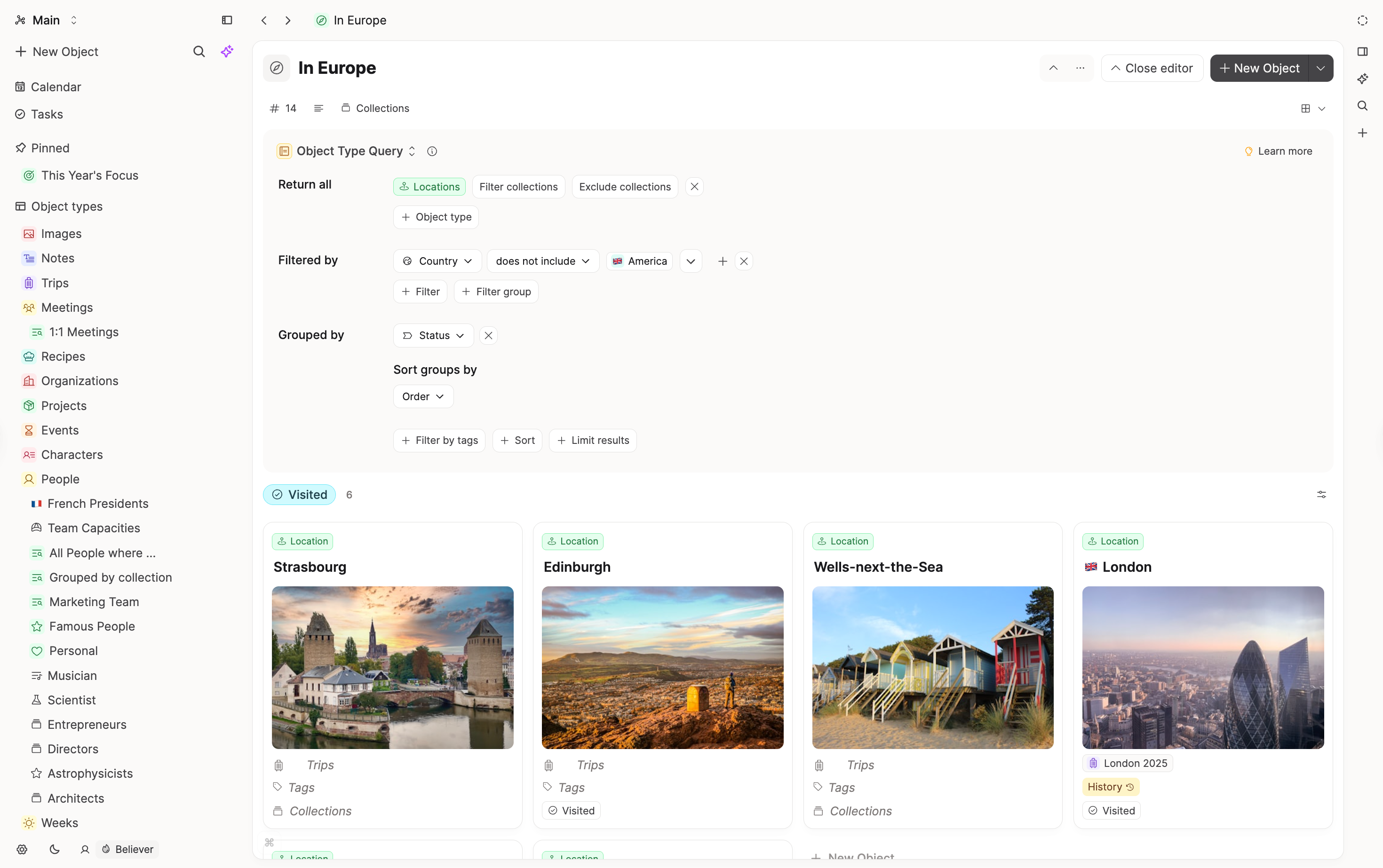
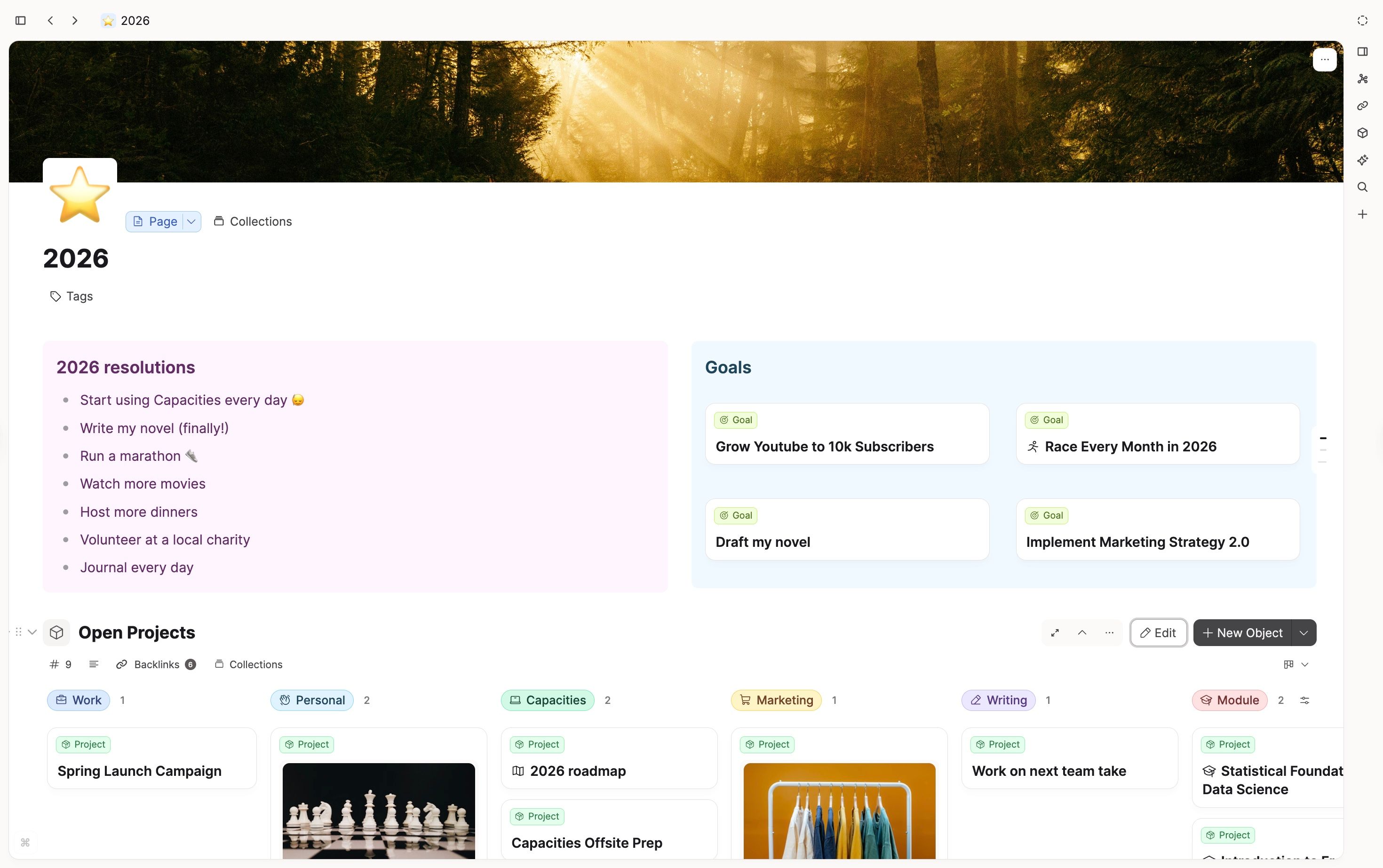
Capacities: List, gallery, wall, and table views for types and collections; queries for reusable filtered surfaces you can embed.
What doesn't map 1:1
Team workspace and permissions
Notion’s collaboration model (sharing, comments, enterprise patterns) is broader than Capacities’ personal-first scope. Heavy team use is a reason to stay on Notion.
“Build anything” automation and formulas
Notion’s formula, automation, and integration surface targets broad workspace use. Capacities trades some of that breadth for coherence in personal knowledge management.
Single hierarchy for all pages
Notion’s sidebar can hold a vast tree. Capacities emphasizes types, calendar, and queries over one global outline of every page.
Team and philosophy
Capacities is built by a small, bootstrapped team based in Europe. Our philosophy is to prioritize clear concepts, stability, and a calm product over endless customization, as outlined in our product principles.
We aim for powerful but opinionated defaults, with features that integrate deeply rather than a long list of toggles. When making product decisions, we default to simplicity, coherence, and long-term maintainability so the tool stays approachable as your workspace grows.
FAQs
- I use Notion with my team. Should I switch?
Probably not for shared workspaces. Capacities shines for individual knowledge work. - What replaces databases?
Object types with properties and views, plus collections and queries. The key difference: objects aren't locked to one container—you can create and reference them from anywhere. - Is Capacities as flexible as Notion?
Not in the “infinite LEGO” sense. It is more opinionated around objects, calendar, and links—on purpose. - Can I capture quickly without setting up a database?
Yes. Daily notes and generic pages keep friction low; types add structure when you want it.
Import your content
This page is the concept map. When you are ready to move notes, follow Import from Notion.
Ask a question! - The Docs Assistant knows everything about the documentation, and the ideas and feature requests from other users.
Create a ticket on our feedback board. - Let us know if you have an idea for a feature, improvement or think there is something missing.
Request additions to the documentation. - If your questions are not getting answered, let us know and we will extend the documentation.