Switching guides
Switching from Tana to Capacities
Switching guides
Switching from Tana to Capacities
For a scannable feature and pricing comparison, see Capacities vs Tana on the marketing site.
If you are actively migrating, read Understanding the paradigm shift first, then follow Import from Tana.
In Tana, everything is a node. You write freely anywhere in your outline and add supertags when you want structure. A node becomes a task or a person only when you apply a supertag. Without one, it's just a bullet. Structure is always opt-in and always retroactive.
Capacities is object-centric. Every piece of content is an object, and every object has a type. An object in Capacities always has three parts: a title, properties, and a body where you write. When you create something, you choose its type upfront to give it its properties and structure. However, structure in Capacities is flexible. You can easily change between types so you never have to worry about being locked into a single setup. This way, your system grows and changes with you over time.
For quick capture without committing to a type, the daily note works the same way as writing bullets in Tana: jot things down, turn them into objects later if needed. Outside of that, Capacities is the more structured approach by default. This foundation of structure can give you the trust you need in your system. It means that you don't have to think about where notes go or where you left them.
At Capacities we spend a lot of time thinking about every way we can enhance the knowledge work process for individuals, regardless of what you use the app for. Whether you're a student, a researcher, a developer, or use Capacities for your own personal use, we're building Capacities for you. We know you care about the work you do, and we care about making the workflows and thinking around your work easier, so you can spend more time on the things that truly matter for you. No more tinkering with complex systems, no more endless setups or searching for a note you know you wrote down somewhere. Just simple, elegant systems that get out of the way and let you do your best work.
Concept mapping
| Tana | Capacities |
|---|---|
| Node | Object (and its content blocks) |
Supertag (#Task, #Person, …) | Object type |
Field (>Due date, >Status, …) | Property |
| Search node / live search | Query |
Command line (Cmd/Ctrl+K) | Command palette (Cmd/Ctrl+K) |
| Mirror / inline reference | Embeds and block references |
| Backlink panel | Backlinks |
Day-to-day differences
The outliner
Tana's entire interface is an outliner. Every node is a bullet, nesting is the primary way to organize, and collapsing branches is how you navigate.
Capacities is a block editor. It supports toggle blocks (collapsible bullets) via editor settings, which gives you an outliner-style workflow within a note. But you are not working in a continuous nested outline across all your content, and you don't have to use it at all. This gives you the flexibility of an outliner-style workflow if that is something you're looking for, with the freedom to break away from it should you need.
If your Tana usage relies heavily on deep nesting, this is the biggest adjustment you'll make.
Schema: how structure works
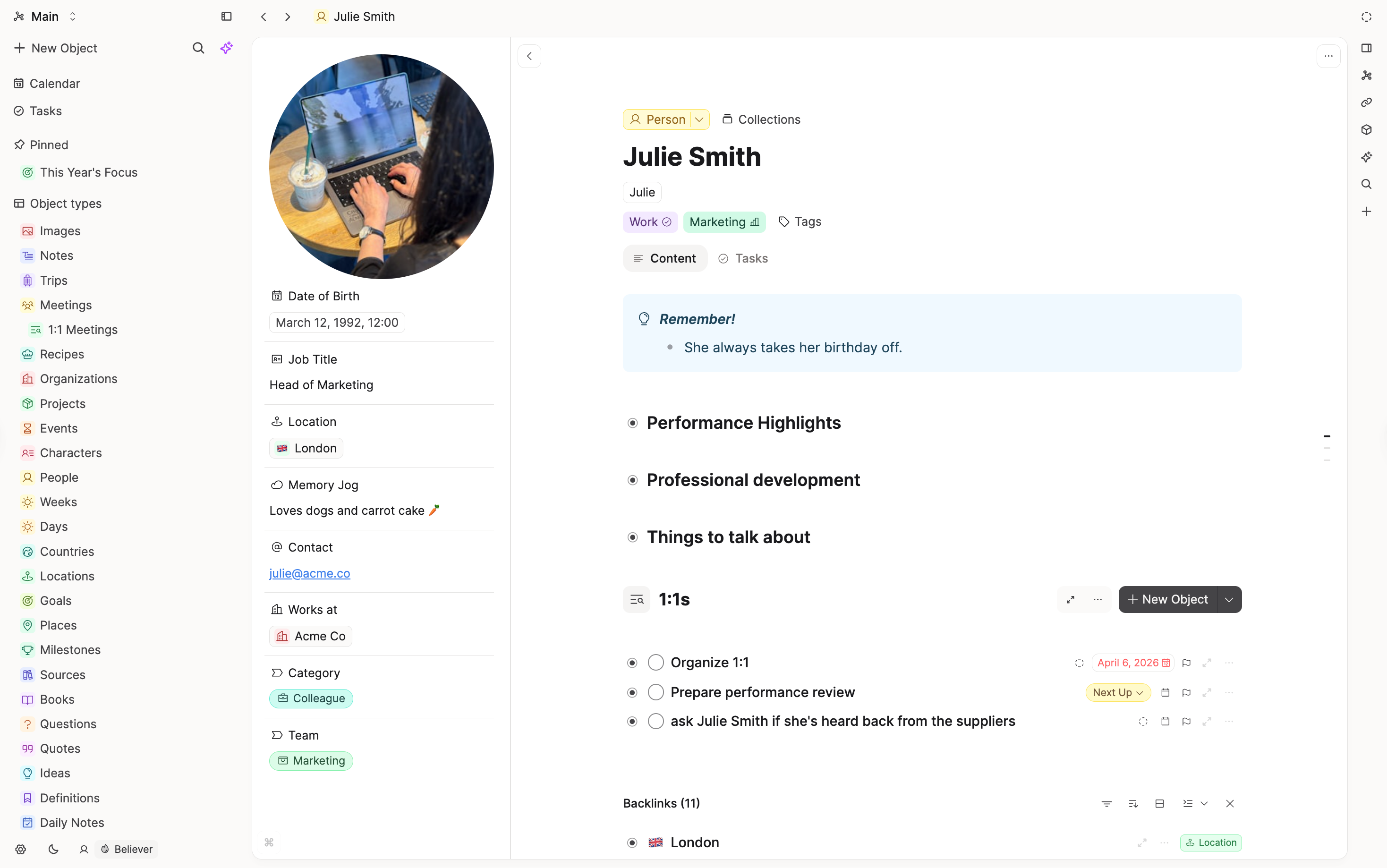
In Tana, you define supertags in your schema with fields, templates, and views. Applying a supertag to a node adds that structure on top of the text.
In Capacities, object types define structure at creation. You set up types with properties and templates, and every object of that type follows that structure. The behavior is similar for most everyday use.
Views and queries
Tana's search nodes are live queries that behave like nodes.
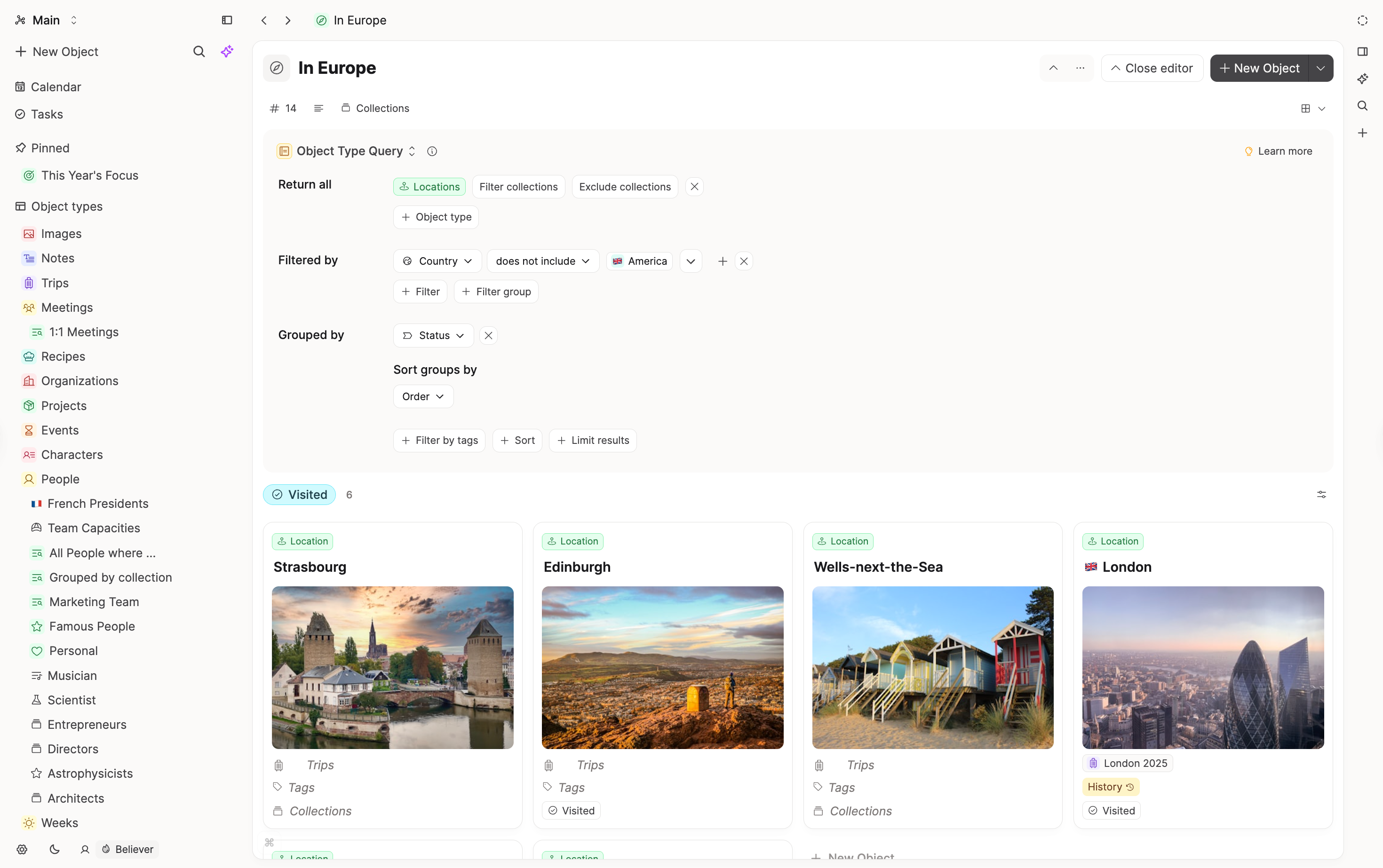
Capacities queries work as saved views and can be embedded into other objects.
Variable queries let you build contextual pages. For example, a Project object that automatically surfaces all meetings linked to this project.
Specific features
Task management
Tana: #Task supertag with fields (Status, Due date, Assignee, etc.) and filtered views built from search nodes.
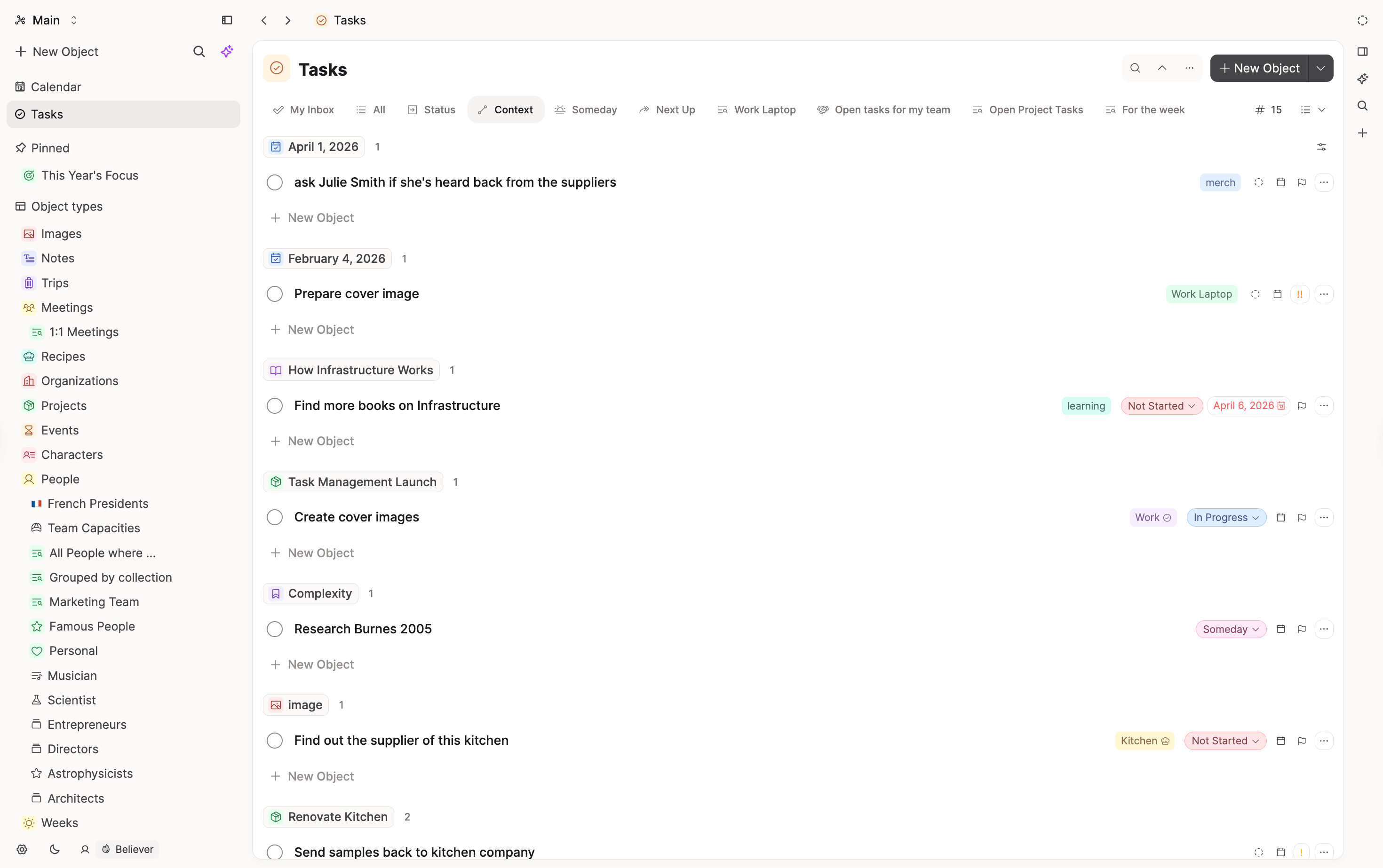
Capacities: Built-in task type with properties, Kanban view, and contextual linking to other objects. See more here.
Mobile and offline
Tana's mobile and offline support has historically lagged behind desktop. Capacities has full mobile apps (iOS and Android) with offline access and sync.
Tana Capture is more advanced than Capacities capture on mobile. You might be interested in the WhatsApp or Telegram integrations. If you've ever texted yourself something you wanted to remember, you will love our integrations. You can text your own private WhatsApp chat and your message will appear directly in your daily note.
Calendar integration
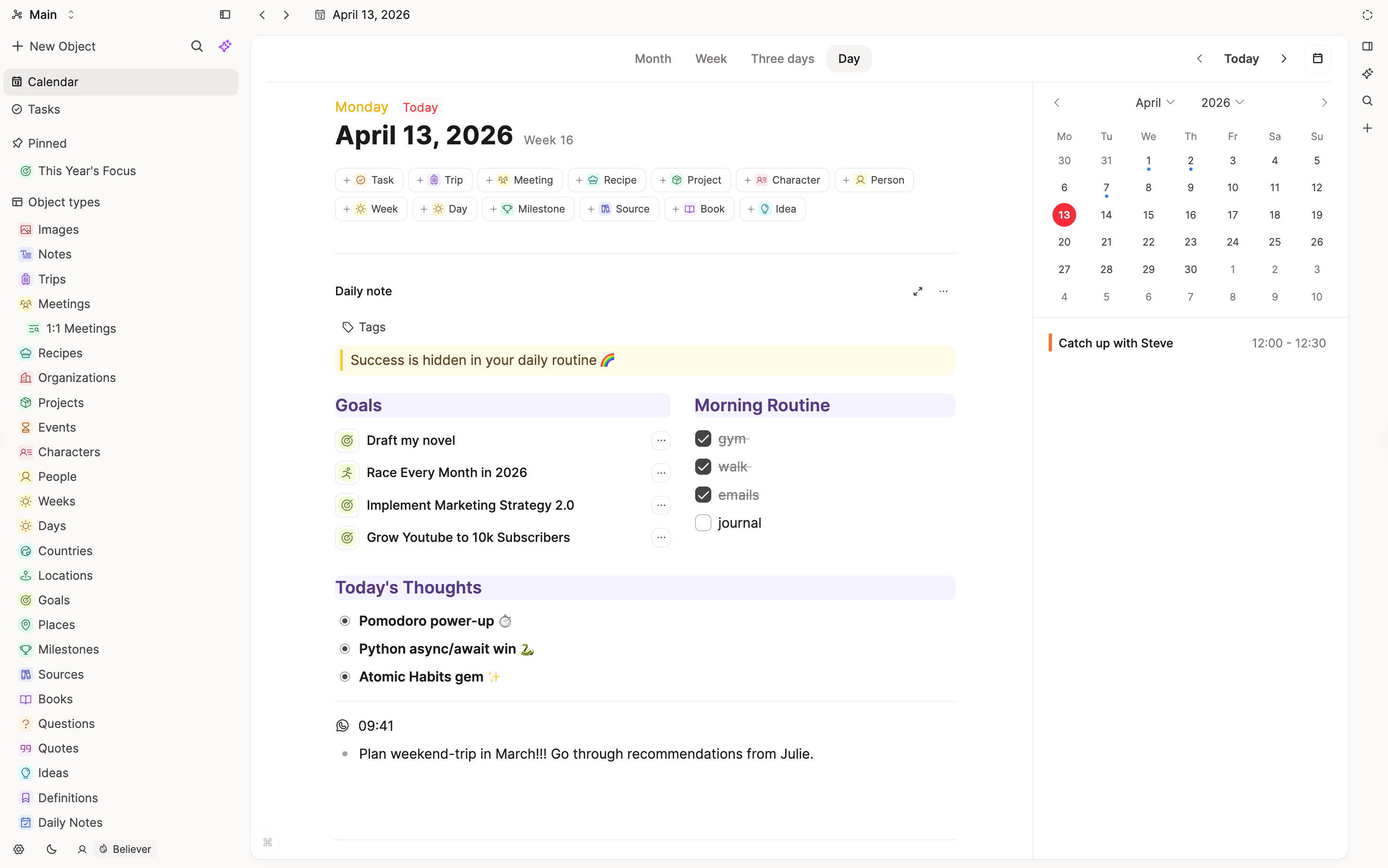
Capacities offers a calendar integration so you can connect your events and time-based planning with your work in Capacities.
Readwise integration
Capacities also integrates with Readwise so your highlights and reading notes can flow into your knowledge base.
Export and portability
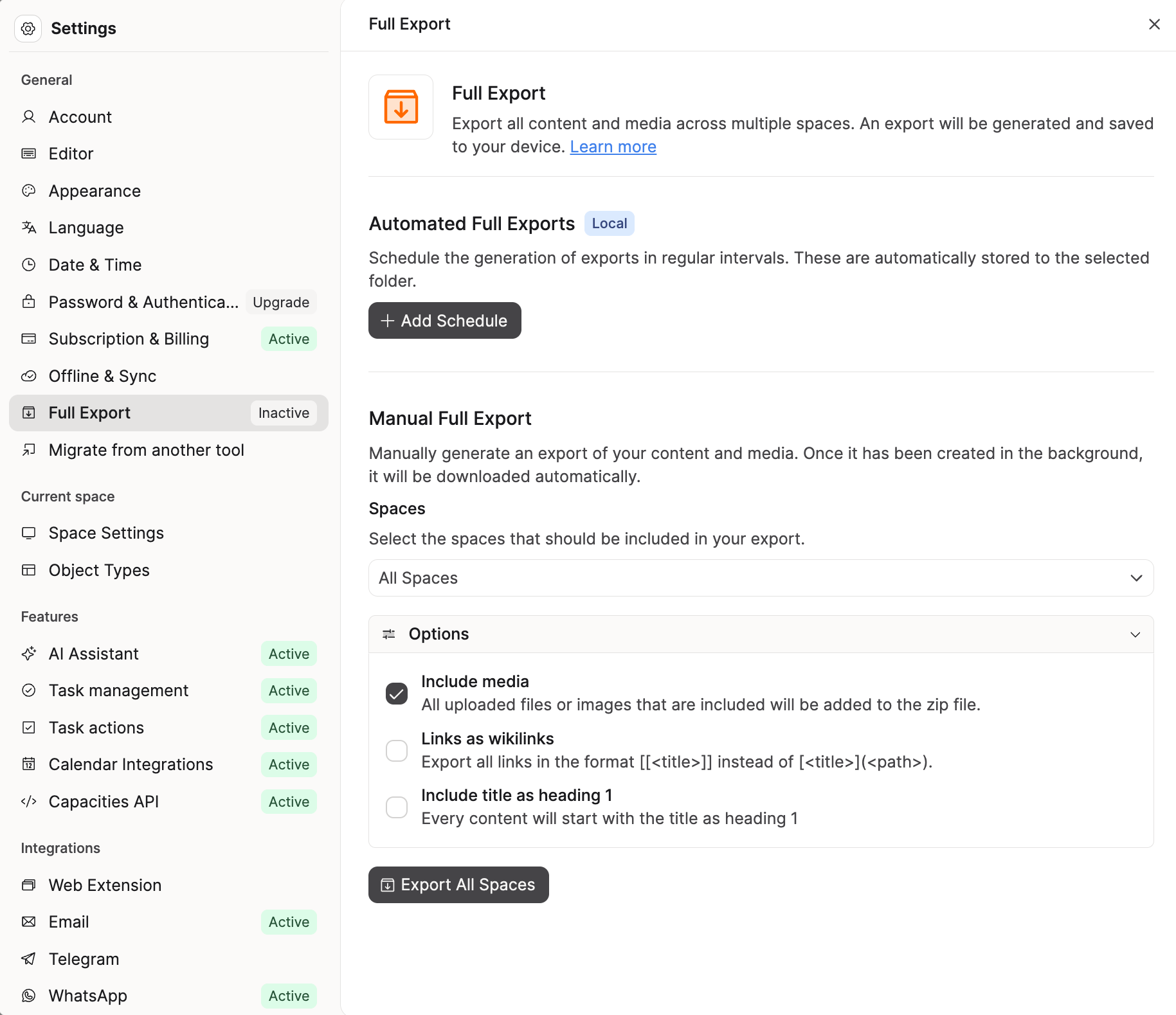
Capacities exports to Markdown with YAML front matter for properties, CSV for collections, and preserves internal links. The format is readable without Capacities and importable into other tools. See our export documentation.
What doesn't map 1:1
Title expressions
Tana lets you build a node's displayed title dynamically from its field values — for example, a #Meeting node whose title automatically renders as {{Date}} — {{Project}}. Capacities does not have an equivalent. Object titles are set manually.
Supertag inheritance (Extend)
Tana's Extend feature lets a supertag inherit fields and templates from a parent — #Design Task extending #Task gets all base fields plus its own additions. Queries on the parent also return nodes tagged with any child supertag. Capacities object types do not support inheritance. Each type is independent.
Field initialization and pinned fields
Tana supertags support default field values applied automatically when a supertag is added, and pinned fields that always display inline on the node. Capacities templates can set default property values, but properties live in the object's property panel rather than pinned inline in the editor.
Command nodes
Tana lets you attach commands directly to supertags so that applying a tag can trigger behavior such as running a command, populating a field, etc. Capacities has an API (beta) and task integrations, but no equivalent to inline command nodes in the graph. A full API and MCP integration layer are on the roadmap, but if your Tana setup relies on tag-triggered automation today, you should use a different tool than Capacities.
Bulk import into object types
Set up the target object type and its properties first (for example People). Then import a CSV: open the type’s ⋯ > Import, or use Settings > Import Content, map columns to properties, and confirm. See Bulk import.
Team and philosophy
Capacities is built by a small, bootstrapped team based in Europe. Our philosophy is to prioritize clear concepts, stability, and a calm product over endless customization, as outlined in our product principles.
We aim for powerful but opinionated defaults, with features that integrate deeply rather than a long list of toggles. When making product decisions, we default to simplicity, coherence, and long-term maintainability so the tool stays approachable as your workspace grows.
FAQs
- Can I create something without choosing a type first?
Yes. Use the daily note. It works like writing bullets in Tana: jot things down as plain text, and promote them to typed objects later when you're ready. This keeps the input friction low while still giving you a place to find those loose thoughts again. - How do I turn text into a typed object?
Select the text in your daily note (or any object body), click +, and choose the type. You can also type#{type name}at the end of the text to convert it inline. The new object inherits the properties and template of the type you choose. - Can I change an object's type after creating it?
Yes. Click the type label above the object's title and pick a different type. The object keeps its title and content and picks up the new type's properties. - Is there a way to see all my objects in one list?
Not as a single global query. The daily note is the best container for un-typed or loosely organized thoughts because it groups them by date. From there you can scan recent entries and decide what to promote, link, or leave as-is.
Import your content
This page is the concept map. When you are ready to move notes, follow Import from Tana.
Ask a question! - The Docs Assistant knows everything about the documentation, and the ideas and feature requests from other users.
Create a ticket on our feedback board. - Let us know if you have an idea for a feature, improvement or think there is something missing.
Request additions to the documentation. - If your questions are not getting answered, let us know and we will extend the documentation.