Switching guides
Switching from Evernote to Capacities
Switching guides
Switching from Evernote to Capacities
For a scannable feature and pricing comparison, see Capacities vs Evernote on the marketing site.
If you are actively migrating, read Understanding the paradigm shift first, then follow Import from Evernote.
Evernote is built around fast capture, strong search, and a powerful web clipper. Notes live in notebooks and stacks; you tag and link them, but the default experience is still document-centric pages in a hierarchy.
Capacities is object-centric and networked. Every piece of content is an object with a type, title, properties, and body. Instead of deciding first where a note lives in a folder tree, you connect objects with rich links and backlinks and navigate through types, tags, and queries.
If you use Evernote primarily as a capture-and-find system and are happy with that, there is no reason to switch. If you want your notes to grow into a connected knowledge base—one you navigate through types, links, and queries rather than folders and search—that is what Capacities is built for.
At Capacities we spend a lot of time thinking about every way we can enhance the knowledge work process for individuals, regardless of what you use the app for. Whether you're a student, a researcher, a developer, or use Capacities for your own personal use, we're building Capacities for you. We know you care about the work you do, and we care about making the workflows and thinking around your work easier, so you can spend more time on the things that truly matter for you. No more tinkering with complex systems, no more endless setups or searching for a note you know you wrote down somewhere. Just simple, elegant systems that get out of the way and let you do your best work.
Concept mapping
| Evernote | Capacities |
|---|---|
| Note | Object |
| Notebook / stack | Object type dashboards, collections, queries |
| Tag | Tag (topics, areas, status) + object types for “kinds” of notes |
| Note link (inline / card) | Object links with @ or [[ + inline, card, list, or embed views |
| Backlink list (basic) | Backlinks panel with layouts, filtering, and sorting |
| Home (widgets) | Dashboard page built from queries and embeds |
| Web clipper | Input integrations today; web extension |
Day-to-day differences
Organization model
Evernote organizes primarily by notebooks and stacks. A note usually has one obvious home; tags and search help you find it elsewhere.
Capacities is less about “which folder is this in?” and more about “what is this?” and “what is it connected to?” Object types, properties, and links carry structure. You can still browse by type in the sidebar and use tags for cross-cutting topics.
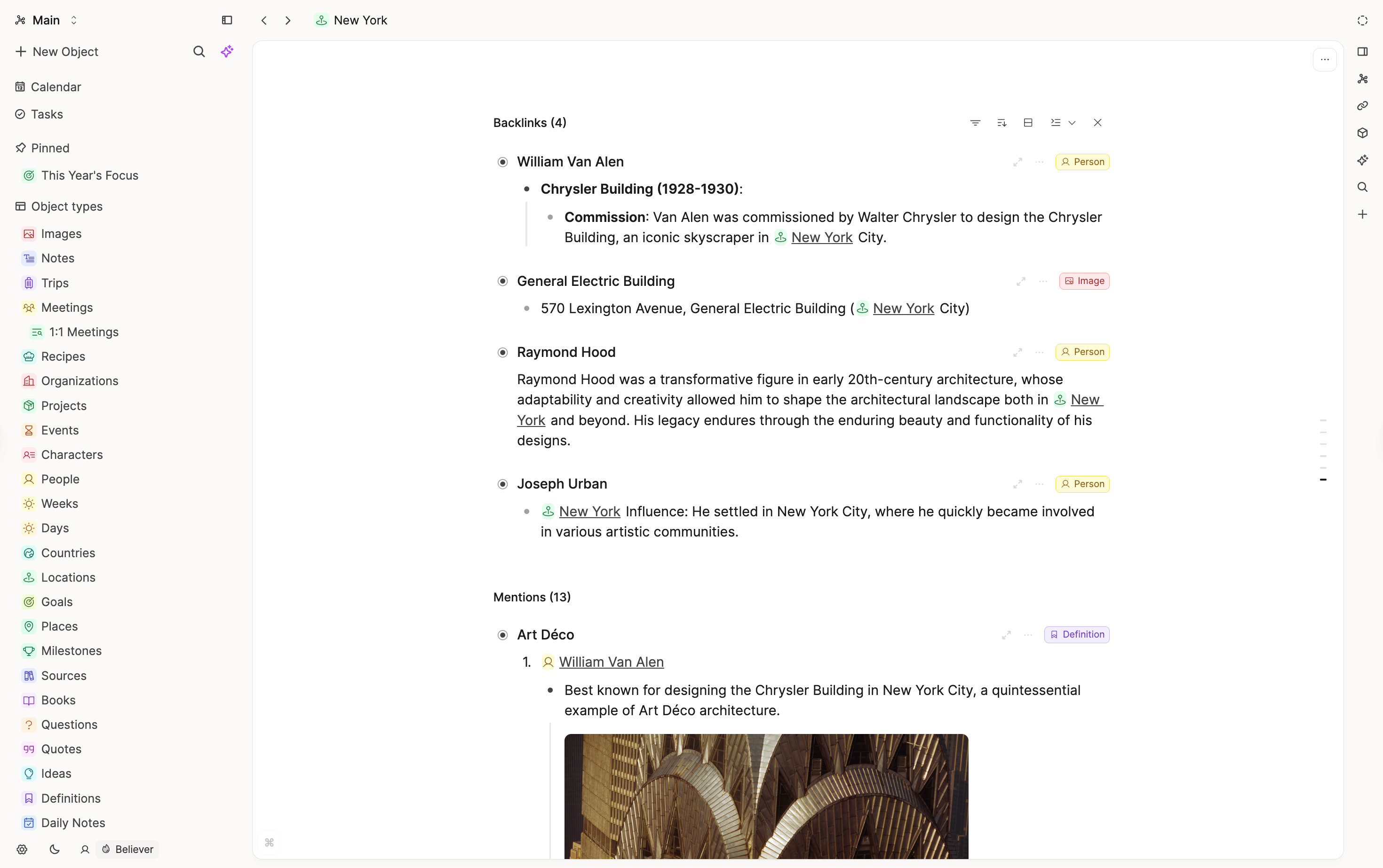
Linking and backlinks
Both apps support links and backlinks, but the emphasis differs. Evernote shows backlinks at the top of a note with limited context.
Capacities treats backlinks as a first-class surface: you can present linked objects in multiple layouts, see richer previews, and filter or sort as your space grows.
Structure and metadata
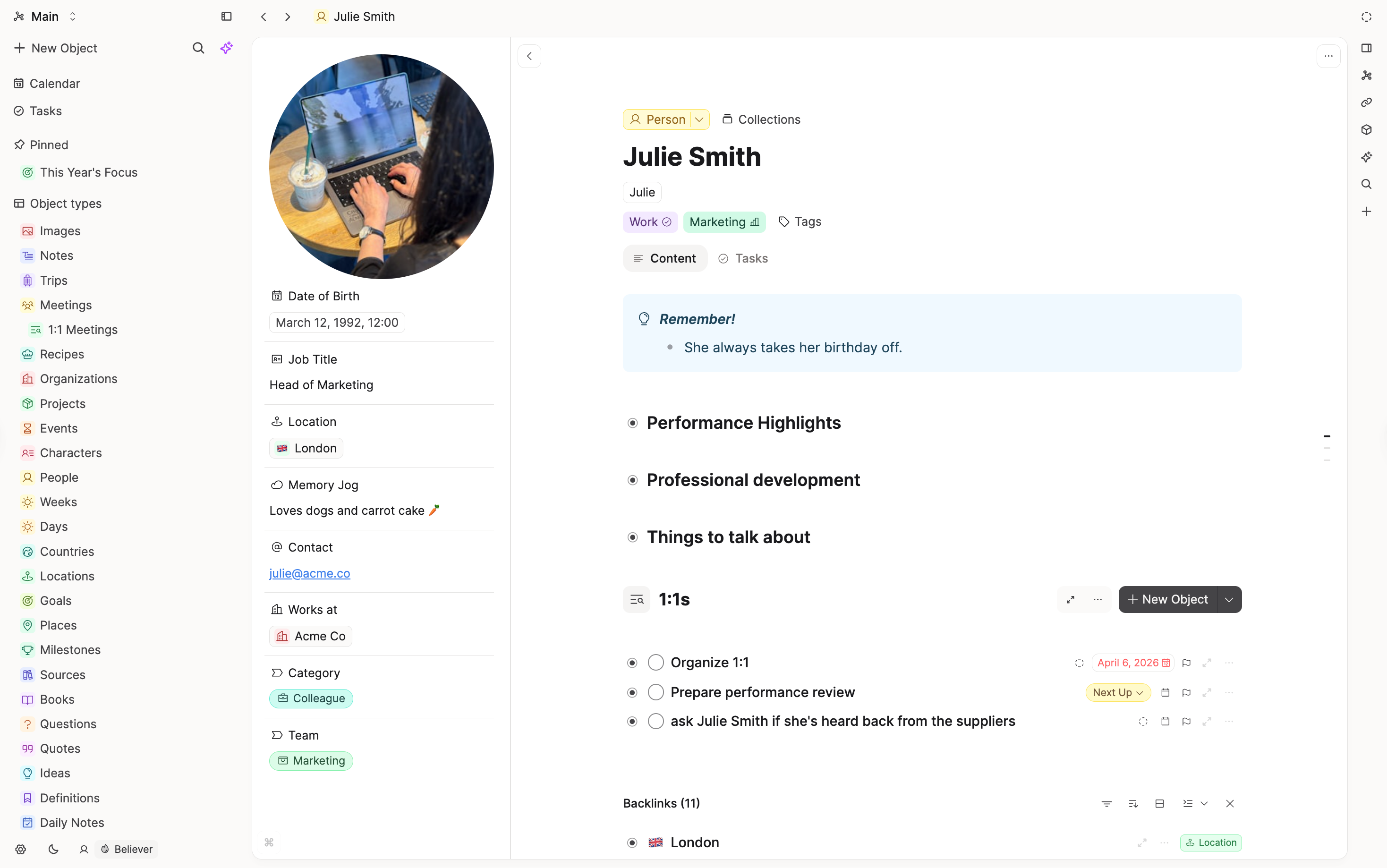
Evernote notes are largely uniform; many people use tags to stand in for “this is a meeting” or “this is a person.”
Capacities makes that explicit with object types (for example Person, Meeting, Book) with their own properties and templates. Default types also cover media: pasted images and uploaded PDFs can become typed objects you can find and reuse from the sidebar.
Time and calendar
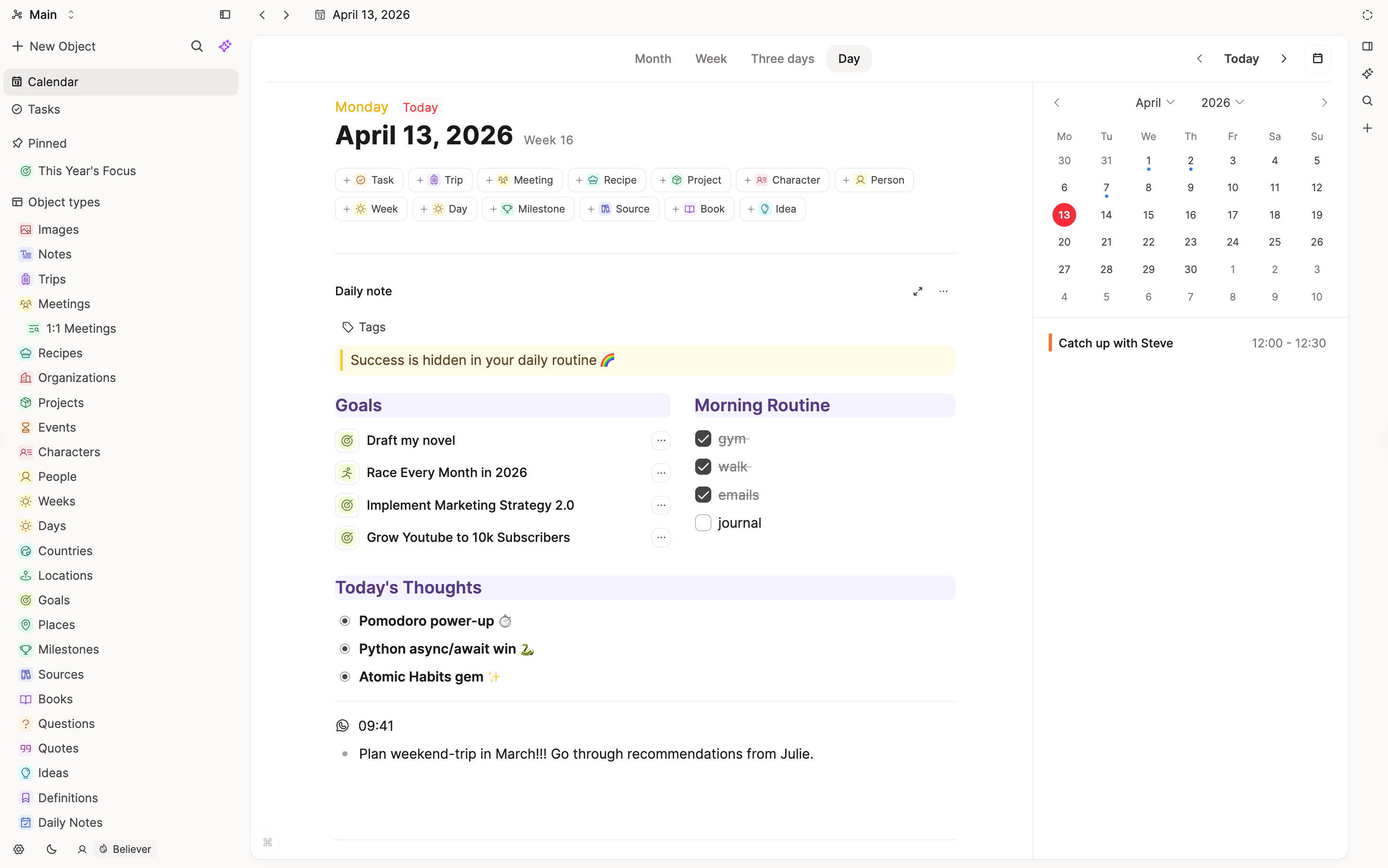
Evernote is strong for date-stamped notes and search, but it does not center a calendar-and-daily-note workflow the way Capacities does.
Capacities combines daily notes with a calendar: time ranges for review, “created on this day,” references and timeline sections for items linked to a date, and integrations that can drop content onto a day. For heavy task and project management, we still recommend a dedicated task manager; task actions integrate with tools like Todoist and TickTick.
Specific features
Search
Evernote: Deep search across notes, notebooks, and attachments, including OCR across images and handwritten content.
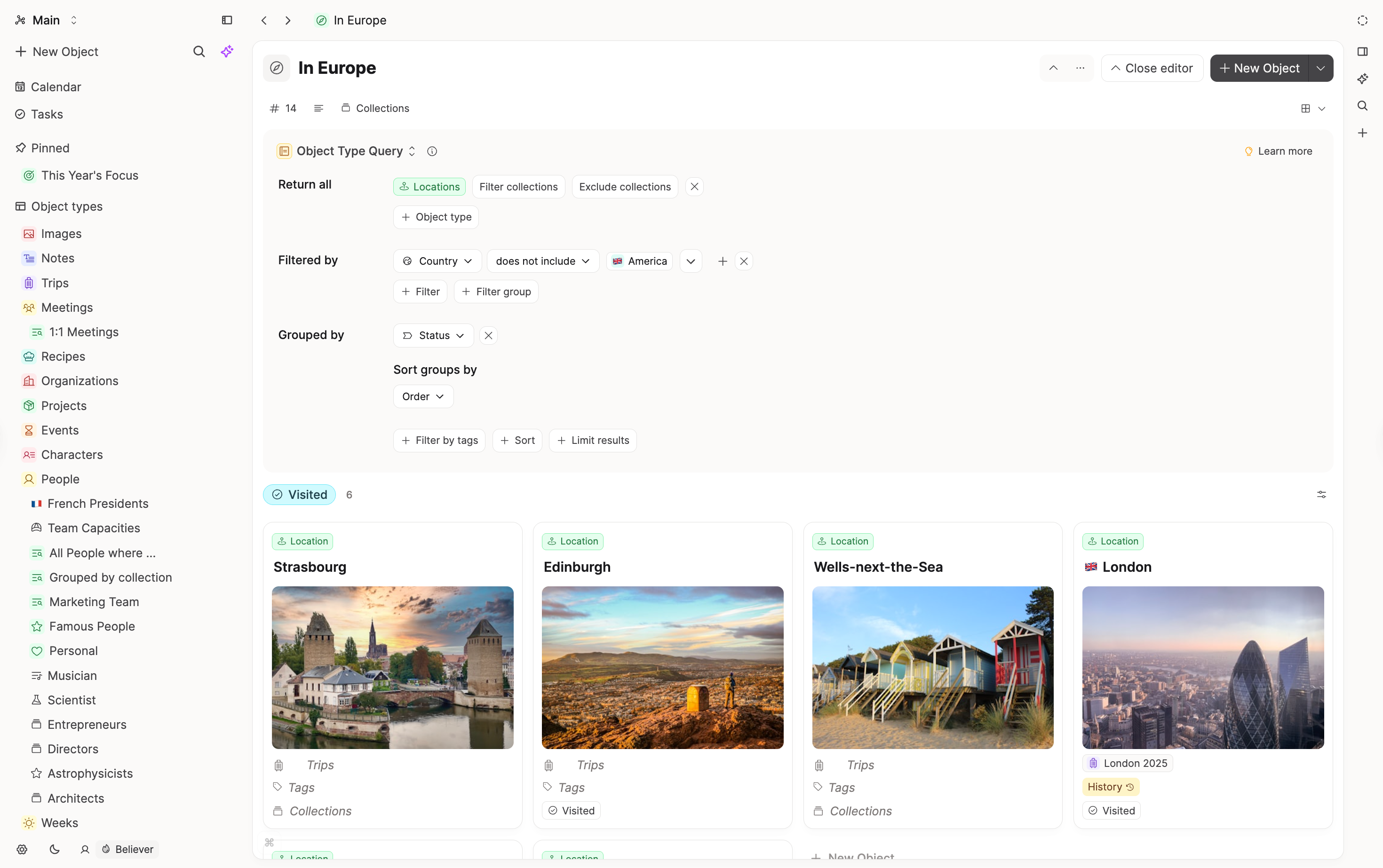
Capacities: Command palette and extended search, with queries for structured, repeatable lookups. OCR and PDF content search are planned; an AI-powered search feature is also on the roadmap.
Web clipper and capture
Evernote: Web clipper is a flagship feature.
Capacities: Capacities has a web extension for lightweight capture (saving URL, title, cover image, tags, and notes). It is intentionally less extensive than Evernote-style full web clipping. For highlights and richer capture workflows, use integrations like Web Highlights and Readwise, plus inputs such as Email, WhatsApp, Telegram, and Raycast.
Tags and browsing
Evernote: Tags are a primary organizing layer.
Capacities: Tags work across objects and blocks; opening a tag gives list or wall views, related tags for navigation, and filtering on properties because objects carry metadata. You can embed a tag and its items into any object for dashboards.
Export and portability
Evernote: Export options vary by plan; portability is a common concern for long-term users.
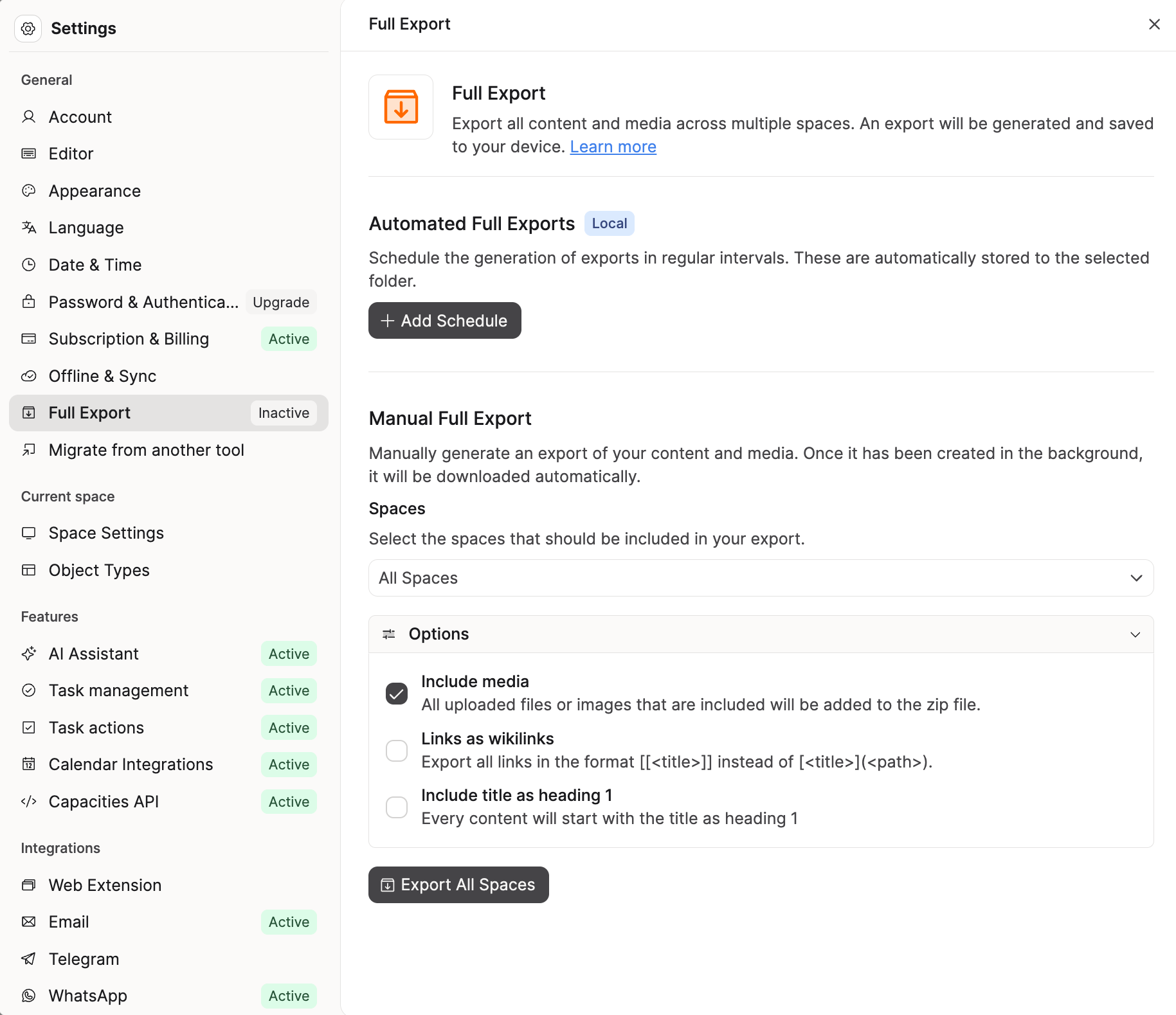
Capacities: Export to Markdown (with options such as media and wikilinks), manual and automatic export, and a format aimed at staying readable outside the app. Some cleanup is always part of moving between tools.
Tasks
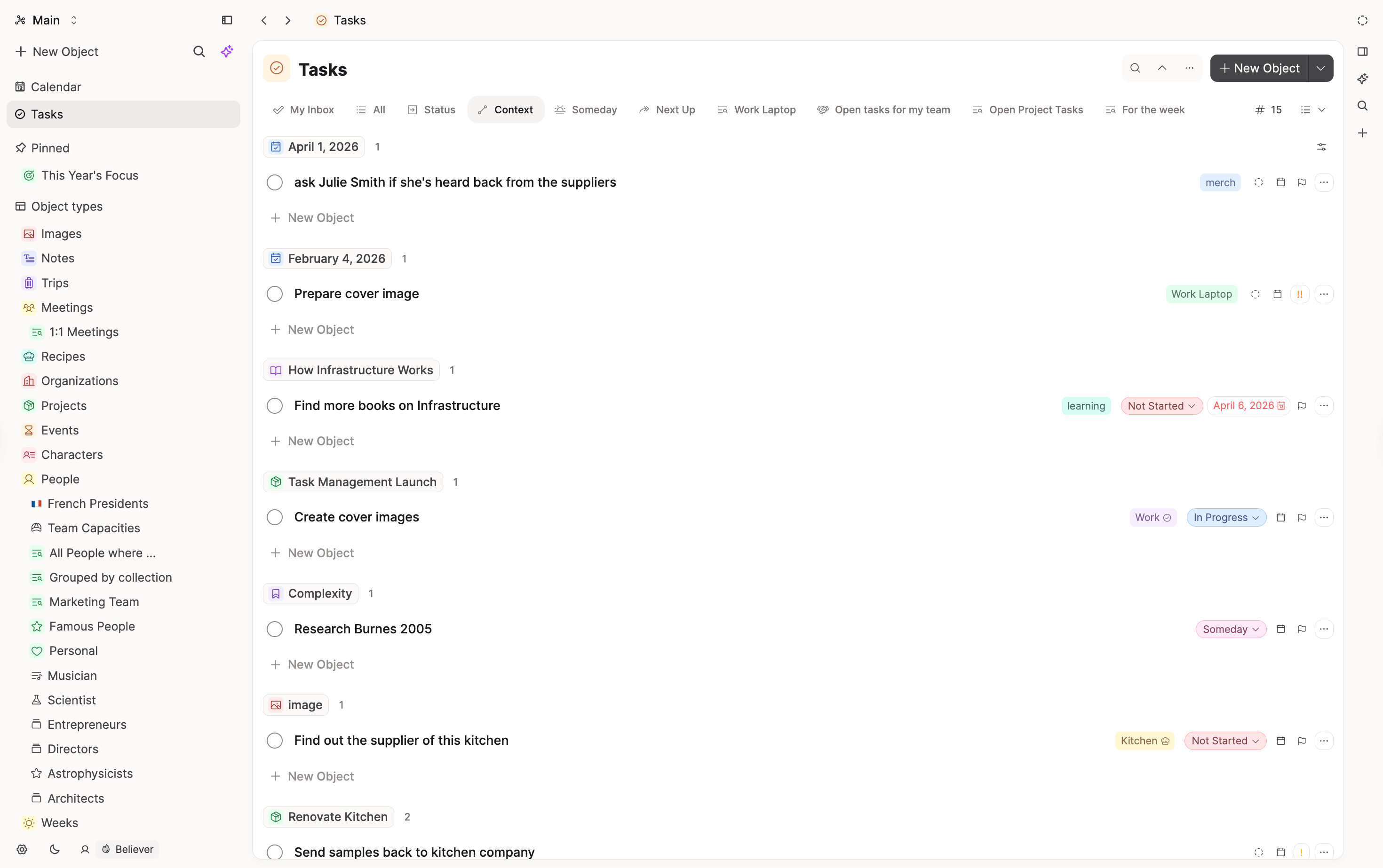
Evernote: Tasks exist inside notes with basic properties like due date and status.
Capacities: Built-in task type with properties and views; for full project systems, task actions toward external apps are supported. See more here.
What doesn't map 1:1
OCR and deep file search
Evernote’s search across scans and attachments is a known strength. Capacities does not match that yet; related search features are planned.
Web clipper parity
Evernote's Web Clipper is much more advanced than Capacities'. If this is a core use-case for you, stick with Evernote.
“One note type” vs typed objects
Evernote defaults to a single note shape with tags. Capacities defaults to typed objects. Daily notes and generic Page objects keep quick capture available.
Team and philosophy
Capacities is built by a small, bootstrapped team based in Europe. Our philosophy is to prioritize clear concepts, stability, and a calm product over endless customization, as outlined in our product principles.
We aim for powerful but opinionated defaults, with features that integrate deeply rather than a long list of toggles. When making product decisions, we default to simplicity, coherence, and long-term maintainability so the tool stays approachable as your workspace grows.
FAQs
- Should I switch if Evernote already works for me?
Not unless you want more networked, typed knowledge work. Tool consistency often beats marginal gains. - Can I capture quickly without picking a type?
Yes. Use daily notes or a Page object, add tags, and promote or link to typed objects when it helps. - Does Capacities work on mobile?
Yes. There are full iOS and Android apps with offline access and sync. WhatsApp and Telegram integrations let you send content directly to your daily note from your phone. - Is my data portable?
Yes. Markdown export and related options are designed so your notes stay yours and readable outside the app.
Import your content
This page is the concept map. When you are ready to move notes, follow Import from Evernote.
Ask a question! - The Docs Assistant knows everything about the documentation, and the ideas and feature requests from other users.
Create a ticket on our feedback board. - Let us know if you have an idea for a feature, improvement or think there is something missing.
Request additions to the documentation. - If your questions are not getting answered, let us know and we will extend the documentation.