Switching guides
Switching from Obsidian to Capacities
Switching guides
Switching from Obsidian to Capacities
For a scannable feature and pricing comparison, see Capacities vs Obsidian on the marketing site.
If you are actively migrating, read Understanding the paradigm shift first, then follow Import from Obsidian.
Obsidian is local-first networked note-taking: Markdown files, folders, wikilinks, tags, daily notes, and a rich plugin ecosystem. You customize almost everything; power and portability come with setup and maintenance.
Capacities is object-centric—a hosted app where every piece of content is an object with a type, title, properties, and body. Sync, search, and integrations are built in—you trade the open file on disk for a structured studio with fewer moving parts.
If you already have a workflow you love in Obsidian, there is no reason to leave. If you feel overwhelmed by plugin setup, want richer backlinks out of the box, or want the structure of typed objects without having to build it yourself, Capacities is aimed at that.
At Capacities we spend a lot of time thinking about every way we can enhance the knowledge work process for individuals, regardless of what you use the app for. Whether you're a student, a researcher, a developer, or use Capacities for your own personal use, we're building Capacities for you. We know you care about the work you do, and we care about making the workflows and thinking around your work easier, so you can spend more time on the things that truly matter for you. No more tinkering with complex systems, no more endless setups or searching for a note you know you wrote down somewhere. Just simple, elegant systems that get out of the way and let you do your best work.
Concept mapping
| Obsidian | Capacities |
|---|---|
| Markdown note (file) | Object |
| Folder | Object types, tags, queries (not a 1:1 folder mirror) |
| Front matter / YAML | Properties |
[[wikilink]] | @ mentions, [[ links, card/list/embed presentations |
| Tag | Tag (with wall/list views, related tags, embeds) |
| Daily note | Daily note (calendar-centered) |
| Graph view | Backlinks, link/embed views (no dedicated graph canvas) |
| Plugin (Dataview, Canvas, …) | Built-in queries, views, embeds (no plugin install) |
| Community theme / CSS | Themed app with constrained customization |
Day-to-day differences
Plugins and decision fatigue
Obsidian is known for its extensibility: core and community plugins, themes, and snippets. That can mean endless tweaking instead of writing.
In Capacities, you still customize object types, layouts, and views, but not every pixel or behavior. This is by design and is part of the Capacities philosophy.
Backlinks
Obsidian’s backlinks panel is functional; previews are plain and depend on your theme and plugins.
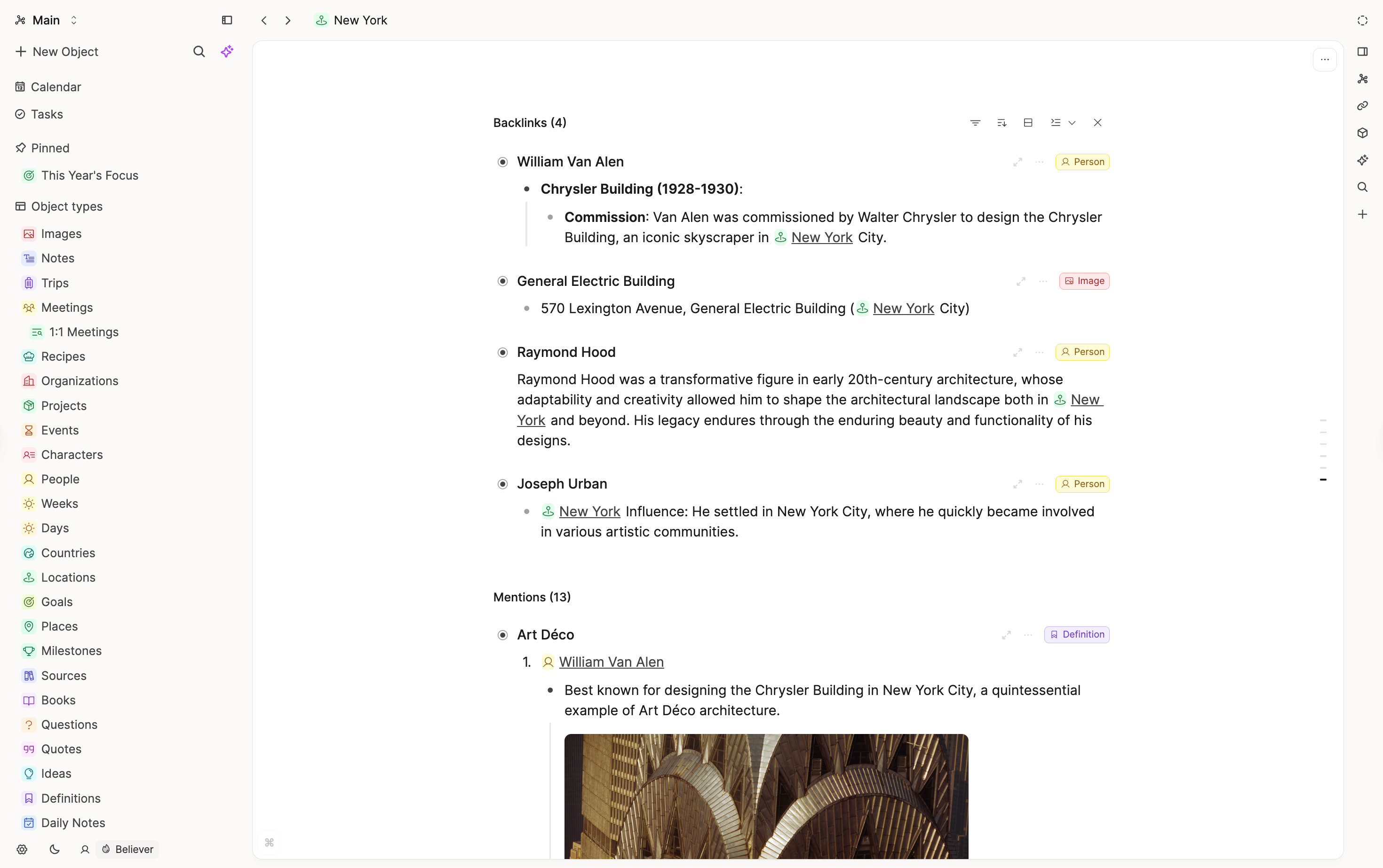
Capacities emphasizes backlinks at the bottom of each object with layouts that honor formatting and media, plus filtering and sorting as the space grows.
Object-based note-taking
Obsidian notes are files; “types” are usually conventions, folders, or templates you enforce yourself.
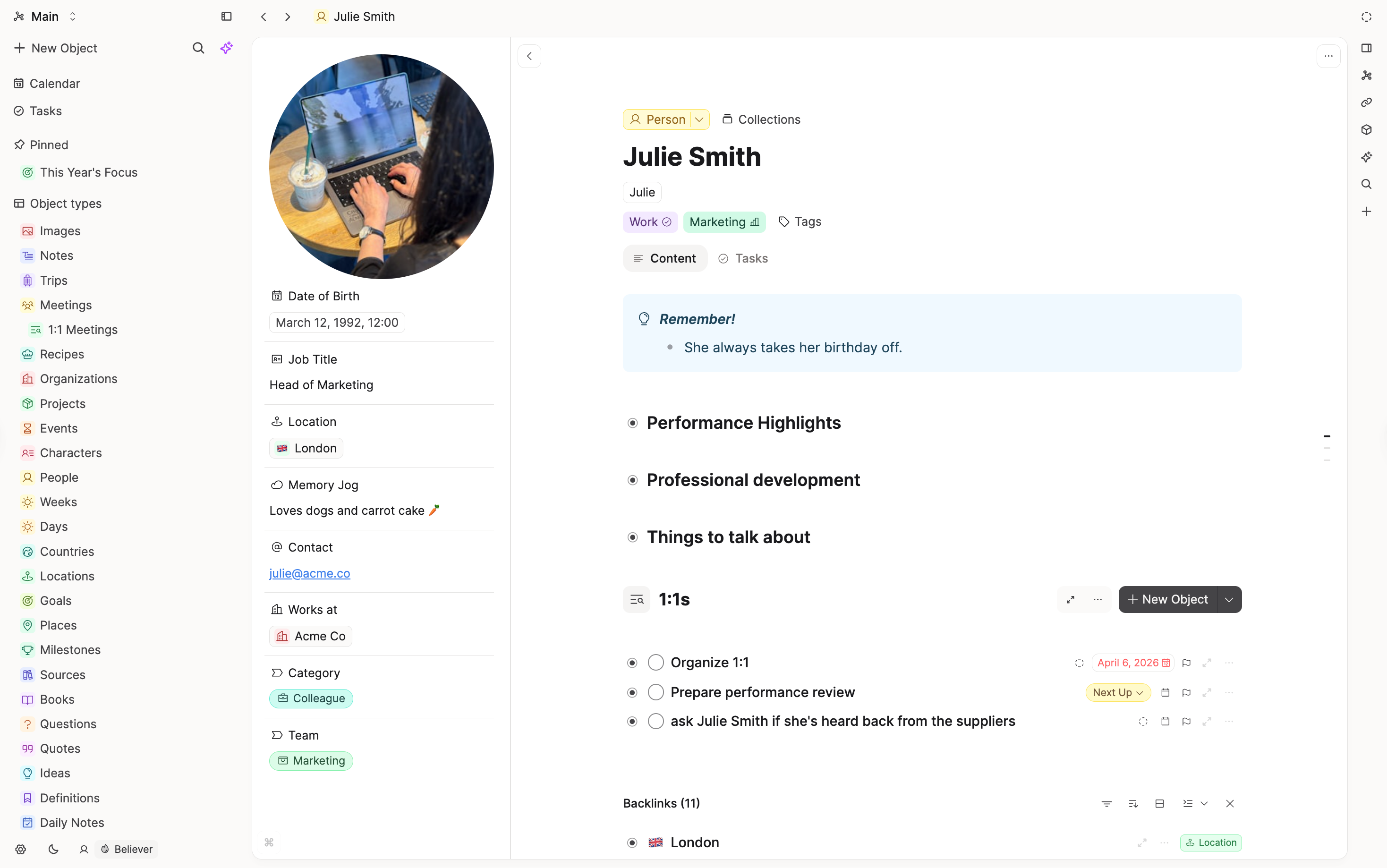
Capacities gives each object a type (for example Page, Book, Meeting, Person). Sidebar browsing by type, templates, and properties are first-class. Pasted images and uploaded PDFs can become typed objects automatically.
Tags
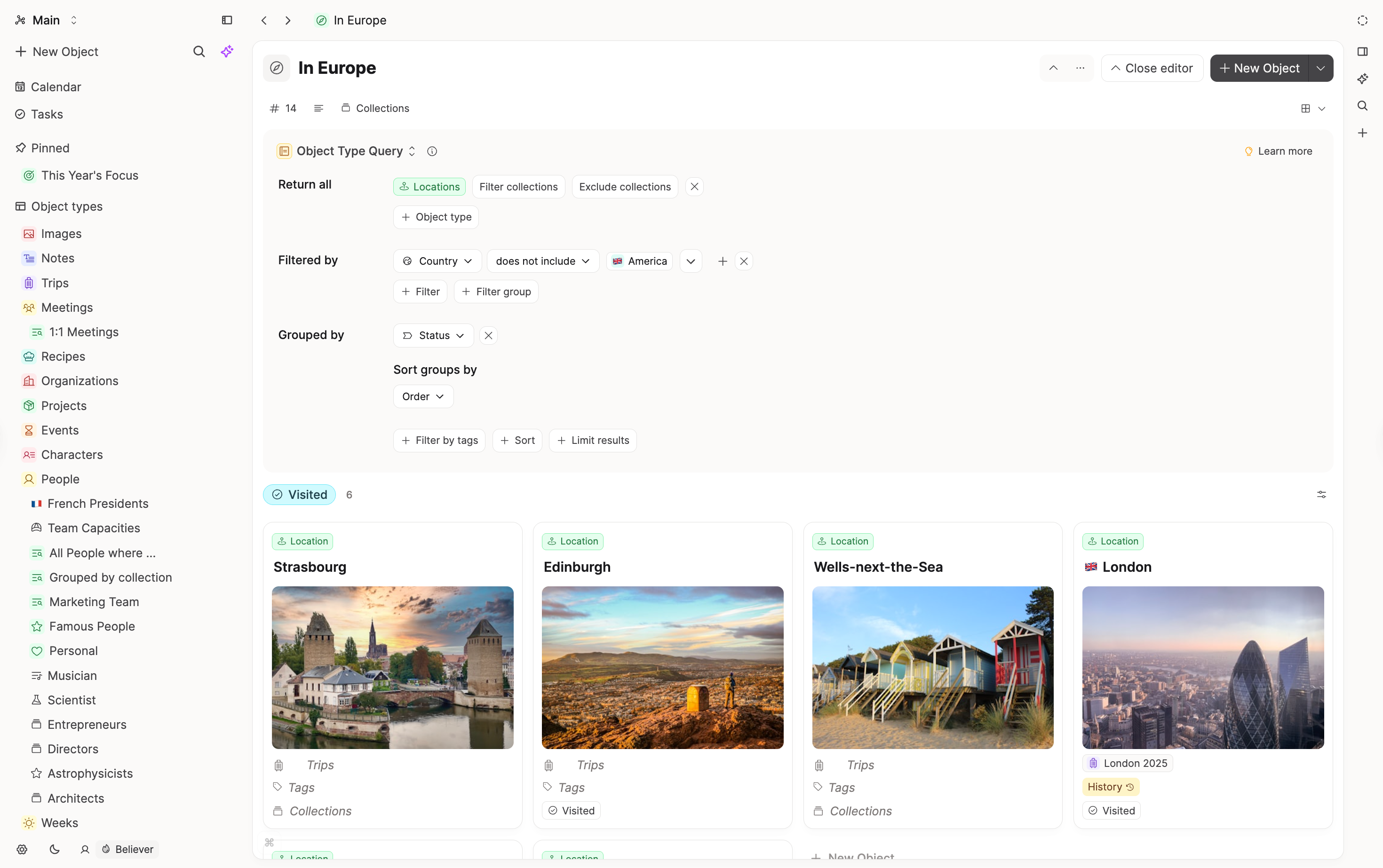
Both use tags to structure content. In Capacities, opening a tag can show objects and blocks in list or wall views, filter by properties, and surface related tags; tags can be embedded for dashboards.
Reusing content visually
Obsidian users often combine Dataview, Canvas, and other plugins for dashboards and visual layouts.
Capacities builds in small and wide cards, linked blocks, editable embeds, and list/gallery/wall/table views for types, collections, and tags. No plugin installation required.
Time and calendar
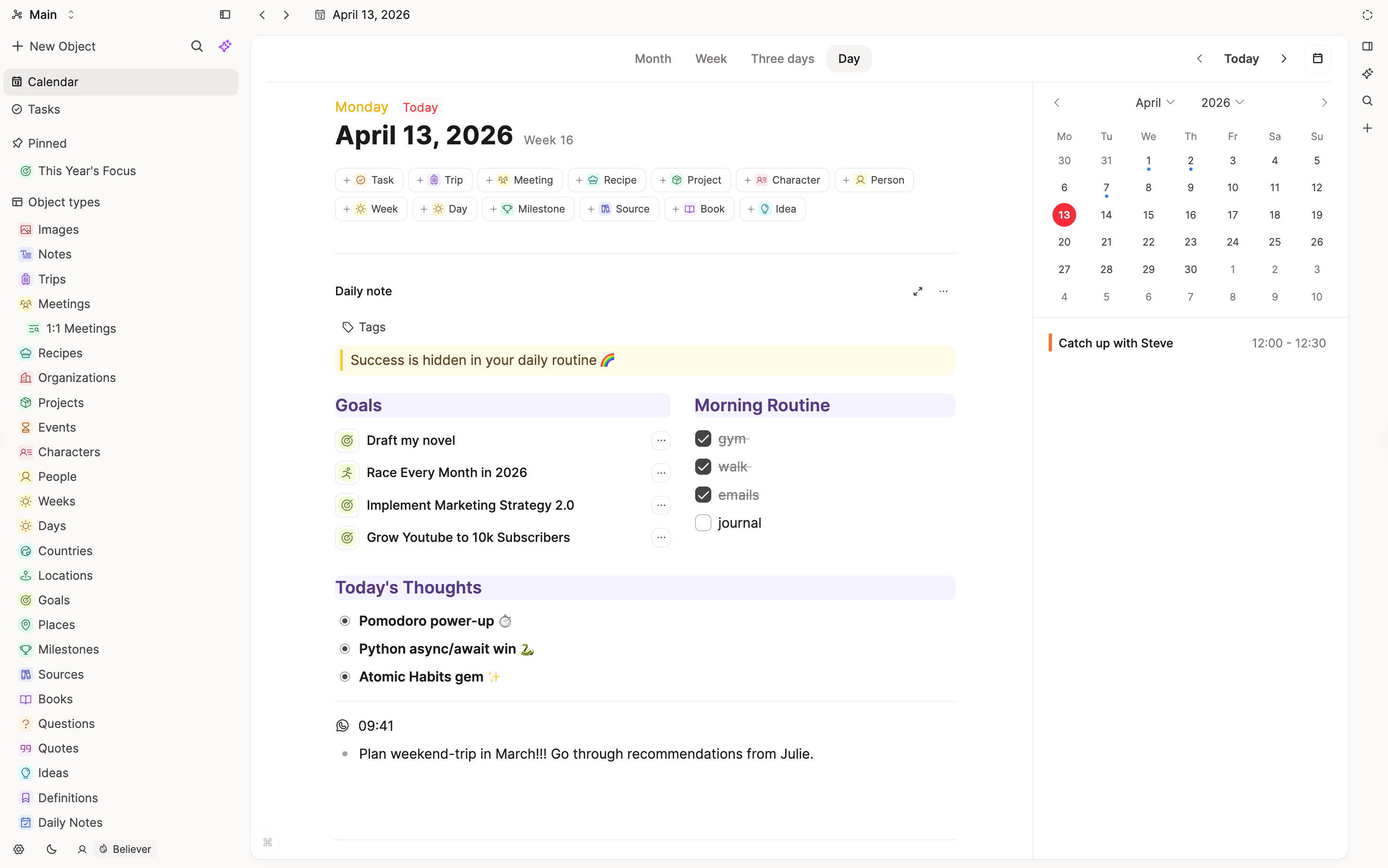
Daily notes exist in both; in Obsidian they are optional. In Capacities, time is central: calendar, multi-day layouts, “created on this day,” and references/timeline sections on each day.
Specific features
Export and portability
Obsidian: Notes are Markdown on disk; plugins may add syntax that does not travel cleanly to other editors.
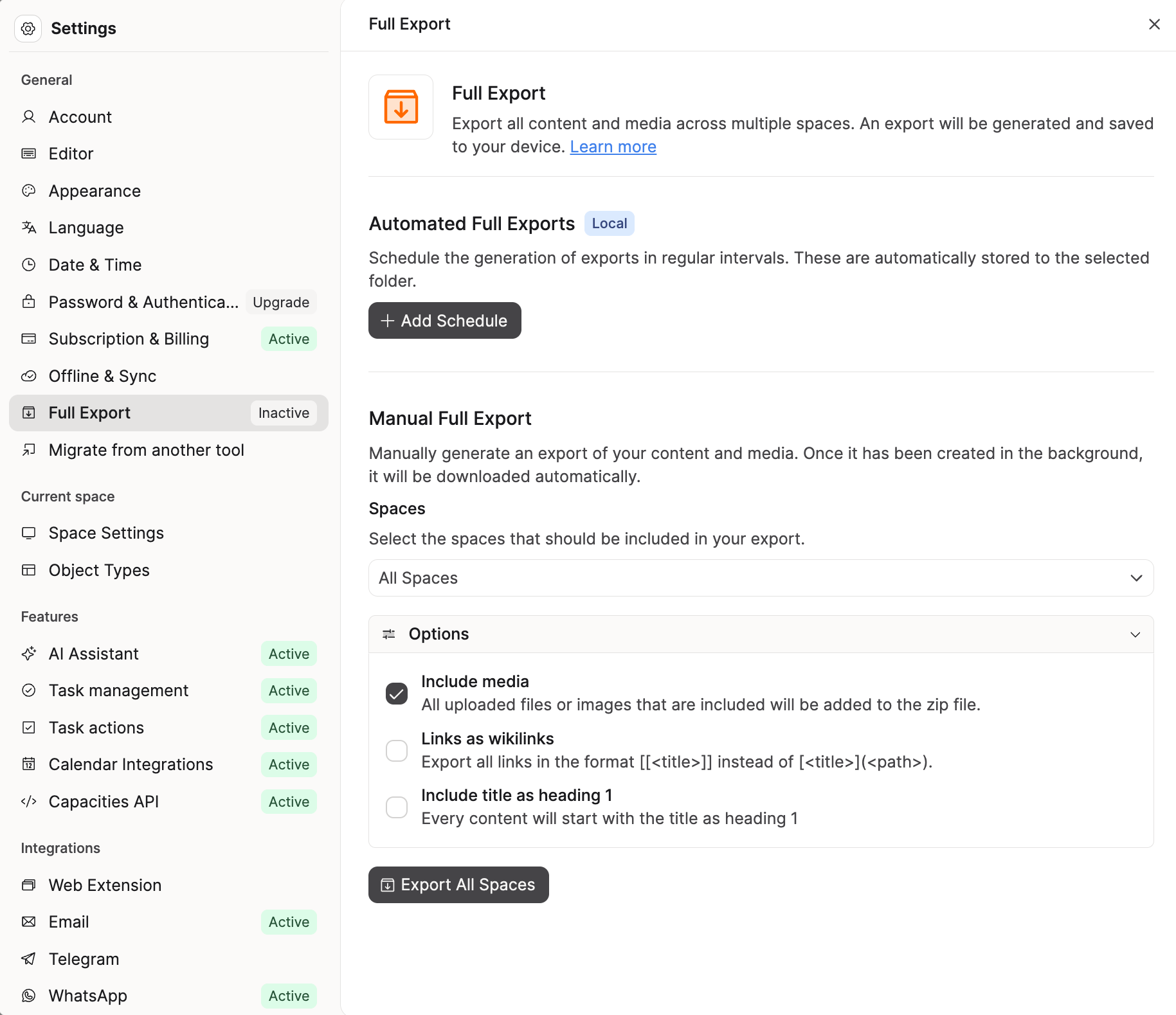
Capacities: Export to Markdown on demand (options for media, wikilinks, headings). No community-plugin surprises in the source format; moving tools still takes judgment and cleanup.
Offline and sync
Obsidian: Local files; sync is your choice (or official paid sync).
Capacities: Content syncs across devices automatically. Nearly everything works offline out of the box. No setup required.
Data residency and encryption
Obsidian: You hold the files; encryption is up to you and your stack.
Capacities: Data is stored on Capacities servers. The product is purposefully not end-to-end encrypted, which would block core functionality. The company is EU-based and GDPR-focused; see the data protection memo.
Canvas and spatial boards
Obsidian: Canvas is a native spatial canvas.
Capacities: No Canvas equivalent; many users combine embeds, queries, and views instead.
What doesn't map 1:1
Local-first and “my disk, my files”
Capacities is not local-first. If plain Markdown in a folder is non-negotiable, Obsidian remains the natural choice.
End-to-end encryption
Capacities does not offer E2EE; Obsidian users who rely on local-only or encrypted vault patterns should weigh that carefully.
Plugin and theme ecosystem
Anything Obsidian does via community plugins may lack a direct Capacities counterpart; the tradeoff is fewer sharp edges and less maintenance.
Canvas
Heavy Canvas users may not find a single replacement; other visualization paths exist but not a duplicate tool.
Team and philosophy
Capacities is built by a small, bootstrapped team based in Europe. Our philosophy is to prioritize clear concepts, stability, and a calm product over endless customization, as outlined in our product principles.
We aim for powerful but opinionated defaults, with features that integrate deeply rather than a long list of toggles. When making product decisions, we default to simplicity, coherence, and long-term maintainability so the tool stays approachable as your workspace grows.
FAQs
- Can I keep working in Markdown on disk?
Not as the live source of truth. Capacities stores data in the app; you export to Markdown when you want files. - Will backlinks feel like Obsidian?
Similar idea, richer presentation and filtering in Capacities without extra plugins. - What about my plugin workflows?
Expect to rebuild key patterns with built-in types, queries, and embeds—there is no plugin marketplace. - Is there offline access?
Yes, with limitations: offline mode supports core content; integrations and some features need connectivity.
Import your content
This page is the concept map. When you are ready to move notes, follow Import from Obsidian.
Ask a question! - The Docs Assistant knows everything about the documentation, and the ideas and feature requests from other users.
Create a ticket on our feedback board. - Let us know if you have an idea for a feature, improvement or think there is something missing.
Request additions to the documentation. - If your questions are not getting answered, let us know and we will extend the documentation.