Understanding the paradigm shift
Understanding the paradigm shift
If you're used to folders or notebooks, this page is for you.
When people move to Capacities, the biggest change is how you organize your notes. It is normal for this to feel strange at first, especially if you have used folders for years.
In tools with folders or notebooks, the main question is:
- "Which folder or notebook should this note go in?"
In Capacities, the main question is:
- "What is this note?"
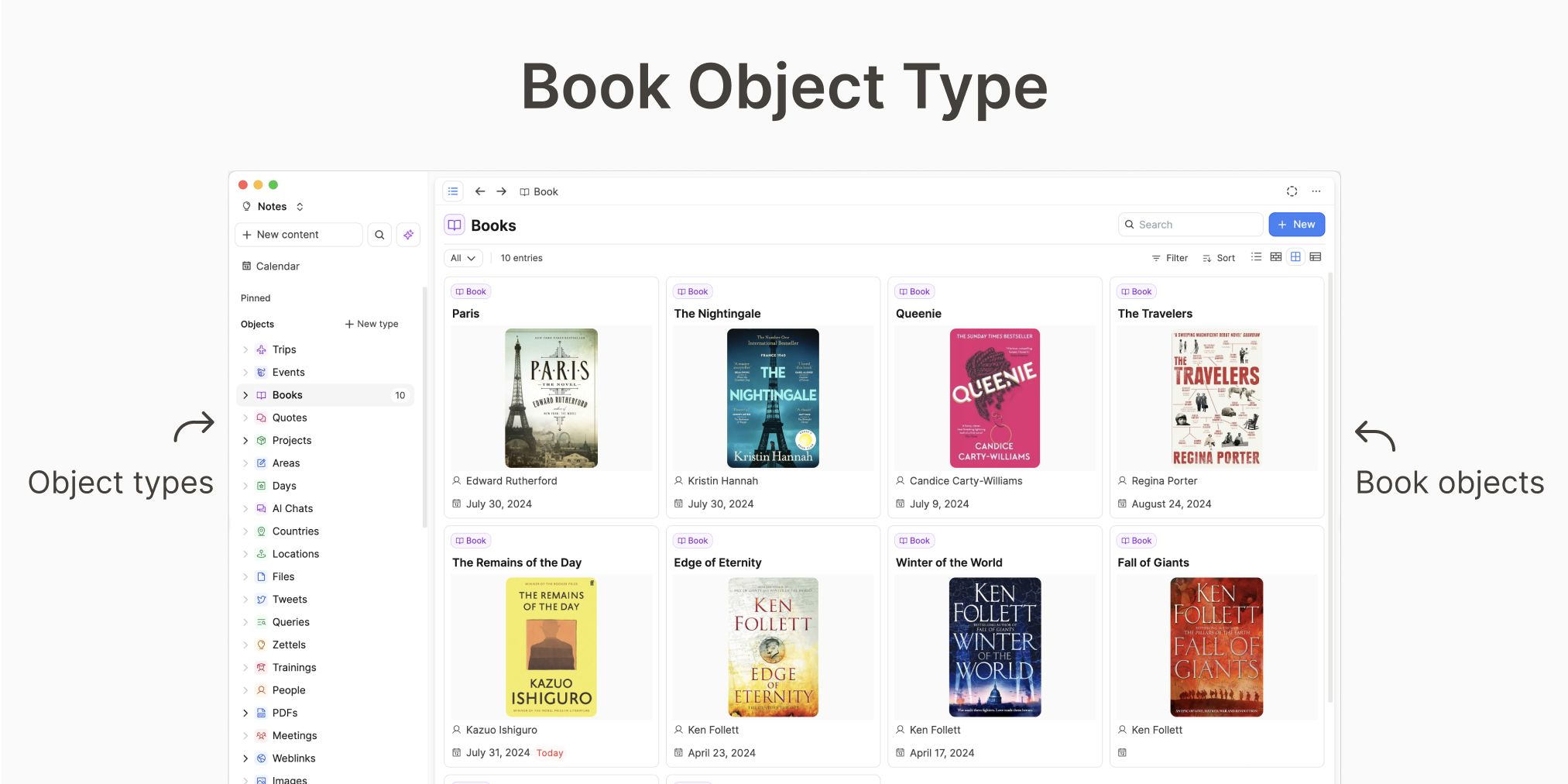
That answer is the object type: Person, Project, Meeting, Book, and so on.
If you are new to this idea, read Object types vs. folders.
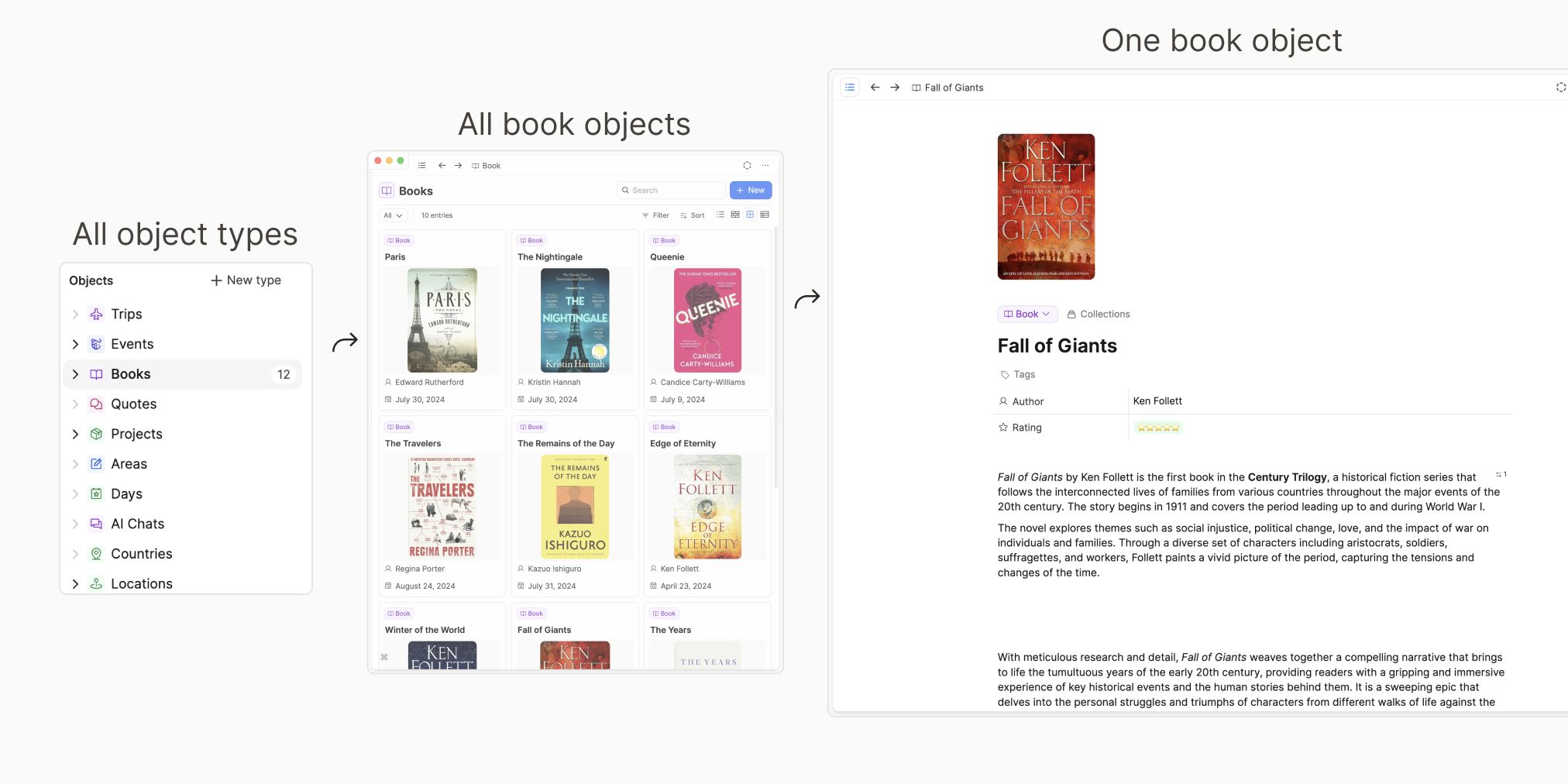
Why this feels different at first
In tools with folders or notebooks, each note has one place to live.
In Capacities, notes are objects.
They are grouped by type, and then connected with:
So you do not have to pick one perfect place for a note up front.
Simple translation (old system -> Capacities)
- Note = object
- Folder or notebook = often an object type
- Metadata fields = properties
- Smart folder / filtered view = query
- Internal links = links + backlinks
Why this matters for migration
It helps to understand this difference before migrating into Capacities. Your imports will be clearer, and your notes will be easier to find.
Real examples (Apple Notes / Evernote style)
Example 1: Person notes
Old setup:
- Notebook/folder:
People - Notes:
Julie Smith
Capacities setup:
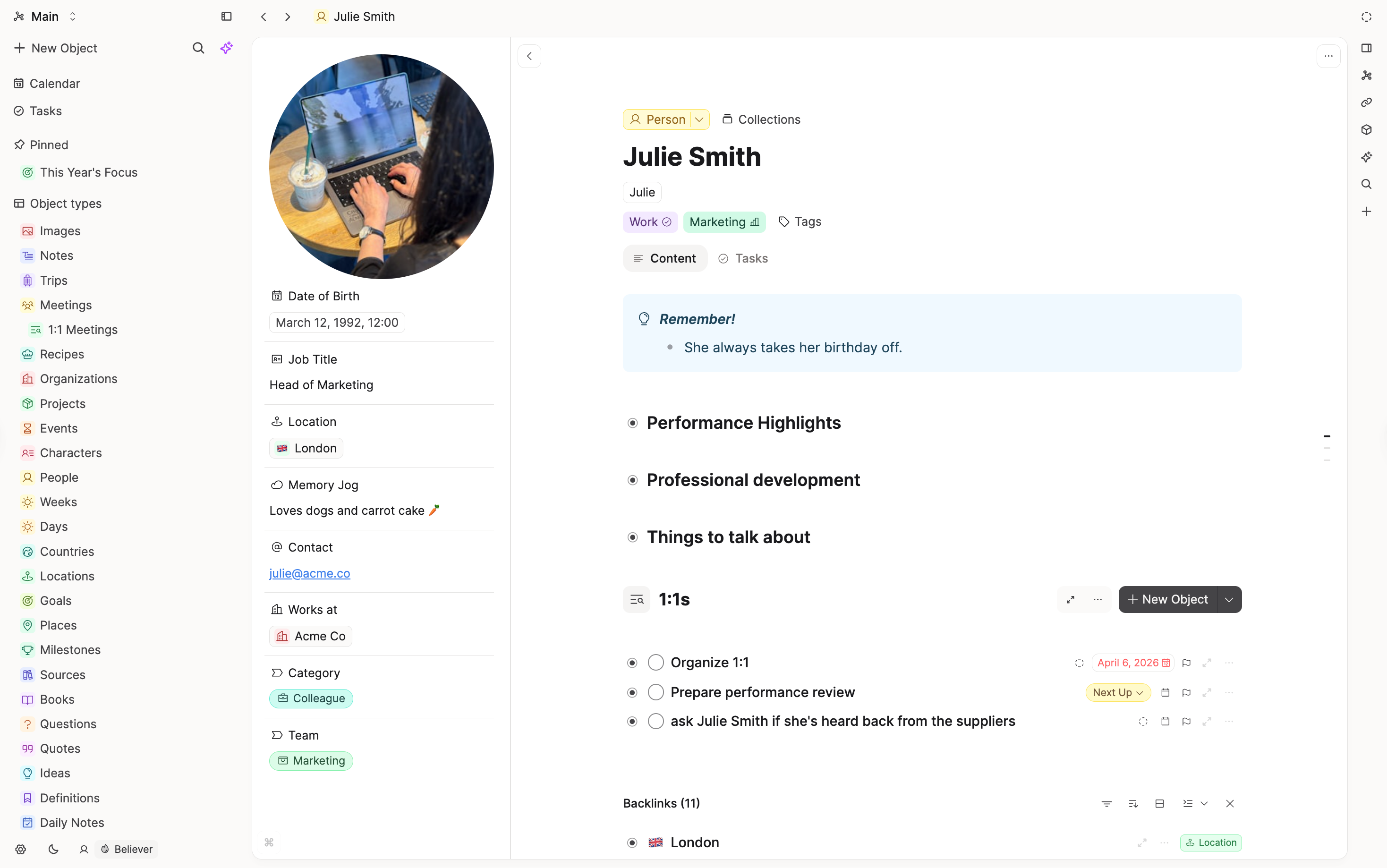
- Object type:
Person - A person object called
Julie Smith - Add properties if useful (for example
Role,Company,Last contact)
Example 2: Mixed notebook/folder
Old setup:
- Notebook/folder:
Work - Inside: meeting notes, random ideas, project plans, clipped links
Capacities setup:
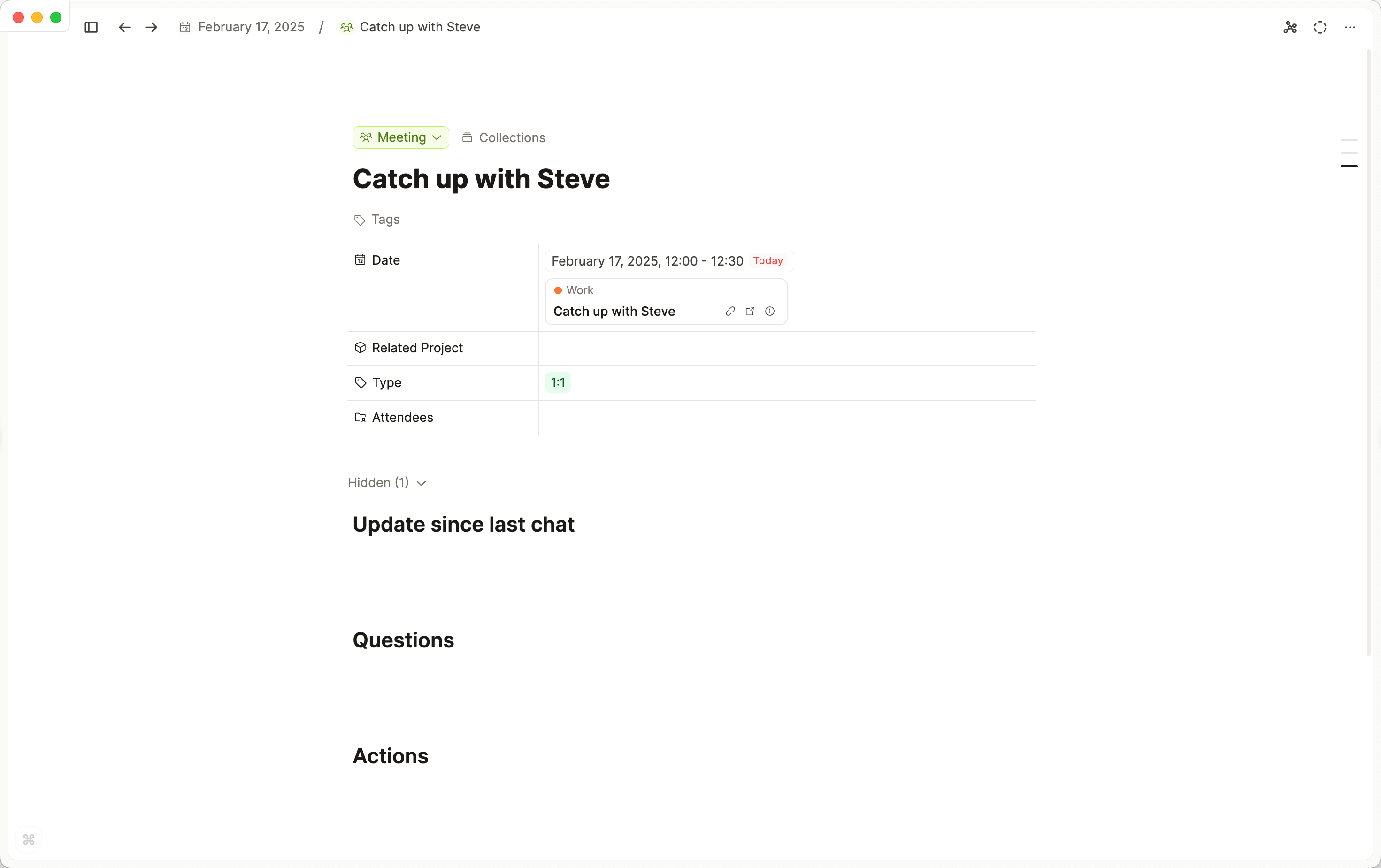
- Meeting objects for your meeting notes
- Project objects for project plans
- Pages or daily notes for random notes without a clear type
Example 3: Topic buckets
Old setup:
- Folders like
Health,Finance,Knitting
Capacities setup:
- Keep your note type as
Page(or another object type such as Idea or Writing) - Use tags for topic labels like
#Health,#Finance,#Knitting
A practical way to prepare
Before export, sort your source content into groups:
- Clear "thing" notes
Ask yourself: "This note is a ...". Whatever completes that sentence is the object type.
- Julie Smith is a Person
- Plan Grandma's 80th Birthday is a Project
- Systems Thinking: A Primer is a Book
- Japan 2026 is a Trip
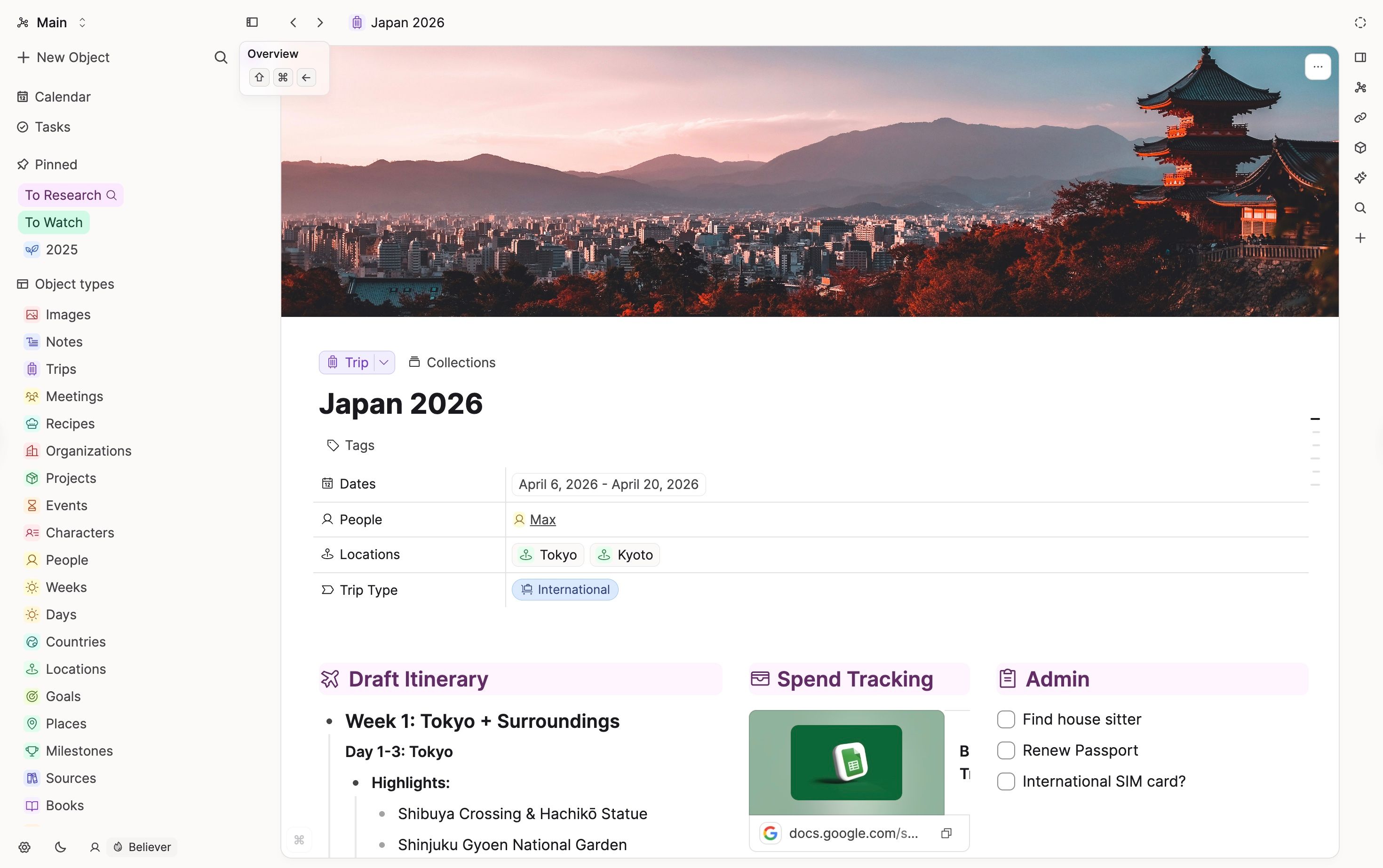
These map perfectly to object types. Create object types for them first in Capacities.
When you have your exported content, arrange notes into folders with these type names.
For example, from your exported content, find all the notes about people and move them into a folder called People. This will import nicely into Capacities.
This prep can take time, but it usually makes the migration into Capacities much better.
- General or mixed notes
These can stay as pages, but note that properties may be added as plain text in the note body.
If you want to keep the properties specifically, create an object type for them.
What to do in Capacities first
- Create 3-5 core object types you know you need
- Add only essential properties (you can add more later)
- Do a small test import
- Review the mapping screen carefully
- Continue only when it looks correct
Why links help after migration
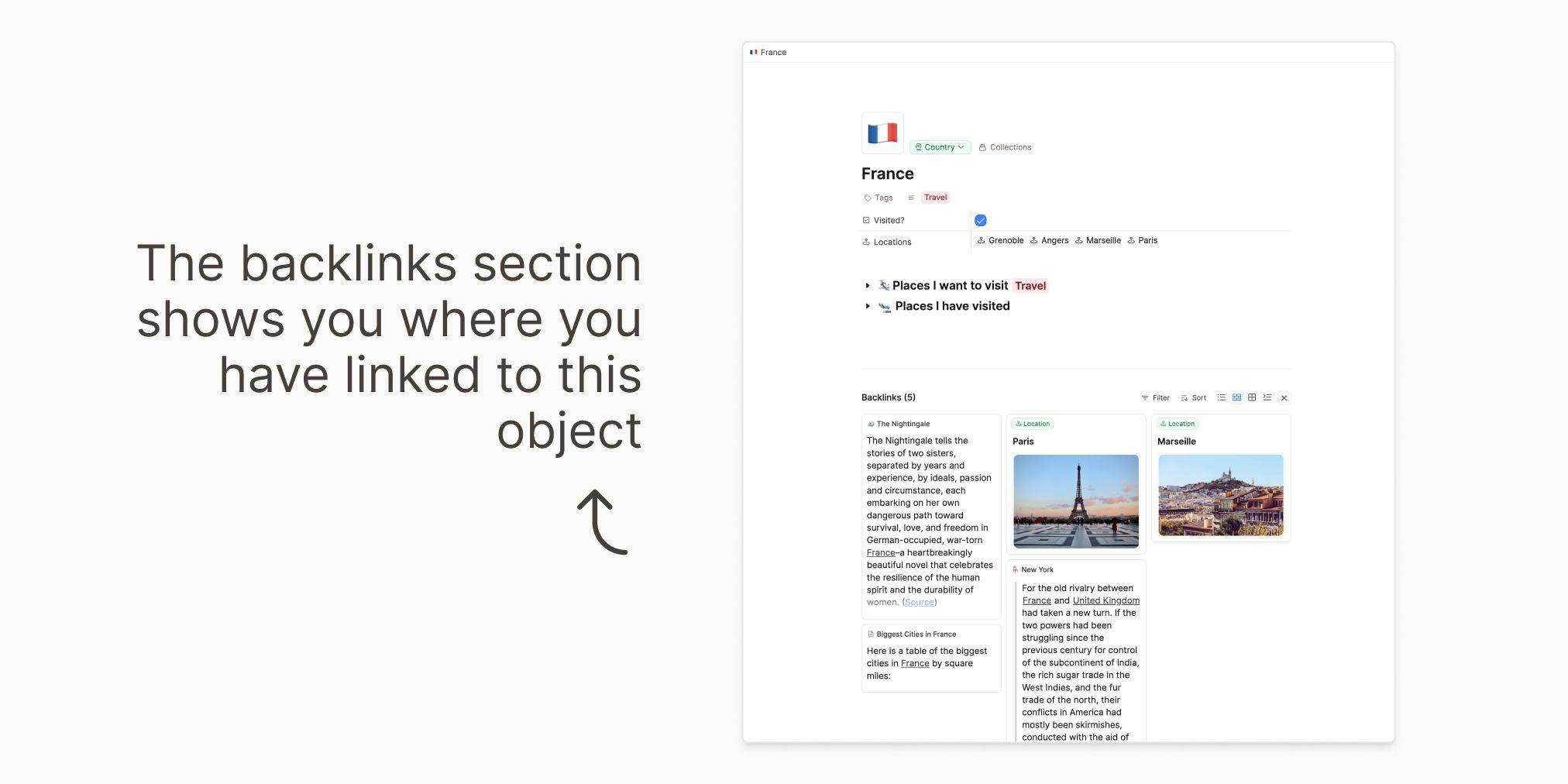
Folders are good for storage, but links are better for context.
Example:
- In a Meeting note, link the People in that meeting
- Link the meeting to its Project
- Later, open a Person or Project and see related meetings in backlinks
That is how your notes become easier to navigate over time.
Daily notes for "unclear" content
During migration, you will always have notes that do not fit cleanly yet.
Use daily notes as a safe holding place:
- capture first
- decide type later
- keep momentum without over-organizing
Red flags before import
Pause and adjust first if:
- you are unsure what each type should be
- many folders or notebooks are mixed together
- many note titles are unclear or duplicated
- the import preview already looks wrong
One last reminder
You do not need to redesign your whole system on day one.
Start with a few clear object types, import in batches, and improve as you go.
If you're migrating now
Use this page for the mindset, then use your tool guide for the exact steps:
- Import from Notion
- Import from Obsidian
- Import from Evernote
- Import from Apple Notes
- Import from Google Keep
- Import from Mem
- Import from OneNote
- Import from Tana
If you are still deciding whether Capacities fits your way of working, read the switching guides in Coming from other tools.
Ask a question! - The Docs Assistant knows everything about the documentation, and the ideas and feature requests from other users.
Create a ticket on our feedback board. - Let us know if you have an idea for a feature, improvement or think there is something missing.
Request additions to the documentation. - If your questions are not getting answered, let us know and we will extend the documentation.