Features
Version history
Features
Version history
Object version history keeps a record of an object's content and properties as you edit it. If you accidentally delete something, or you want to see how an object looked earlier, you can open a previous version and bring it back. That includes changes made by an external assistant through AI Chat Connectors.
Version history works for all object types but not for object type level changes, queries, and collections.
What version history keeps
As you edit an object, Capacities saves its content (the blocks) and properties as versions.
Object version history:
- Keeps up to 50 versions per object.
- Keeps versions for up to 30 days. Older versions are removed automatically.
- Saves a new version at most once every 15 minutes from your latest change, so rapid edits made close together are captured in one version.
Files attached to an object are not part of a version. They stay unchanged.
Version history is not available for daily notes or dashboards.
Open version history
Version history is available for Capacities Pro and Believer users.
To open it:
- Open the object you want to review.
- Click the ⋯ (three-dot) menu.
- Choose Version history.
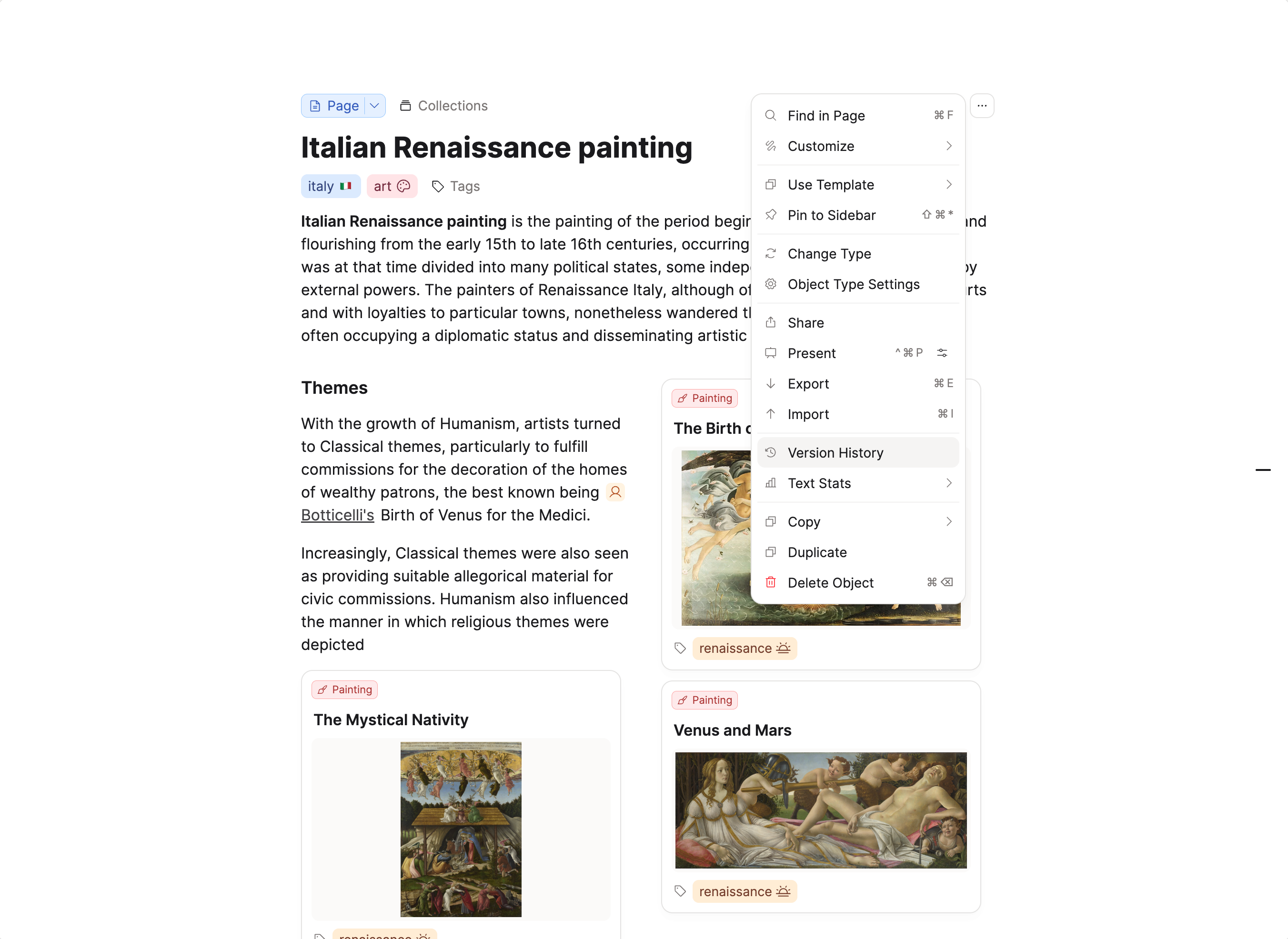
Review a version
The version list shows each saved version with its date and time. Select a version to preview it, together with the number of blocks and properties it contained at that point. Use the Restore button to revert to that version.
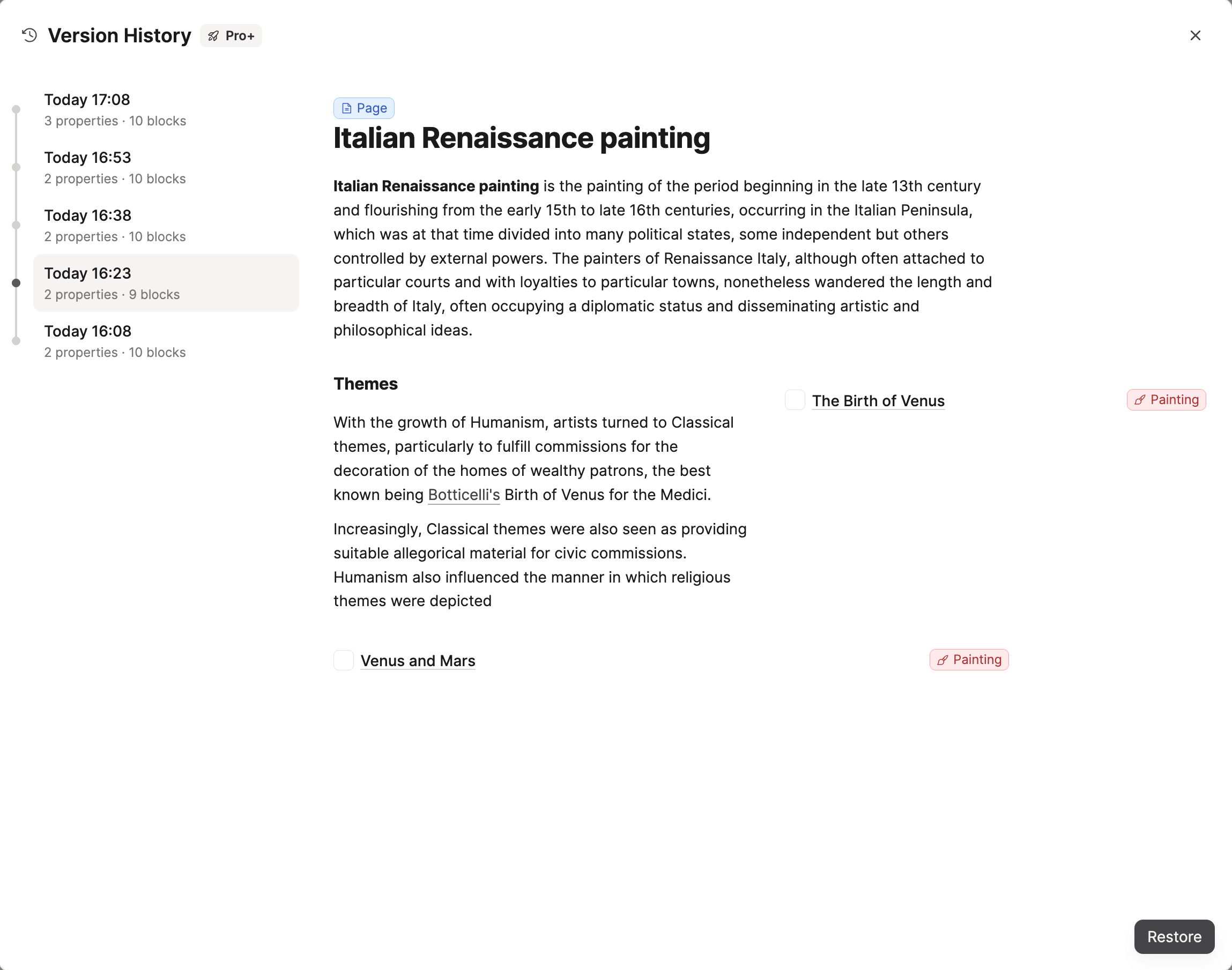
When you restore a version files stay as they are now. They are not reset by the restore.
FAQ
- Why don't I see any versions?
Version history only starts recording after an object has been edited. If an object is new and unchanged, no versions exist yet. - How often is a version saved?
At most once every 15 minutes. Edits you make within that window are captured together in a single version. - Why is version history not available on the free plan?
Each saved version is another copy of an object's content and properties. That storage is a real cost for us, so version history is part of Capacities Pro and Believer. On the Basic plan, you can set up automated exports several times a day as a backup to your device. - If I lose data can I upgrade to Pro to access the version history?
No. Versions are only created if there is already an active subscription.
Ask a question! - The Docs Assistant knows everything about the documentation, and the ideas and feature requests from other users.
Create a ticket on our feedback board. - Let us know if you have an idea for a feature, improvement or think there is something missing.
Request additions to the documentation. - If your questions are not getting answered, let us know and we will extend the documentation.