I don't want to see my tasks in the content tab of my objects?
I don't want to see my tasks in the content tab of my objects?
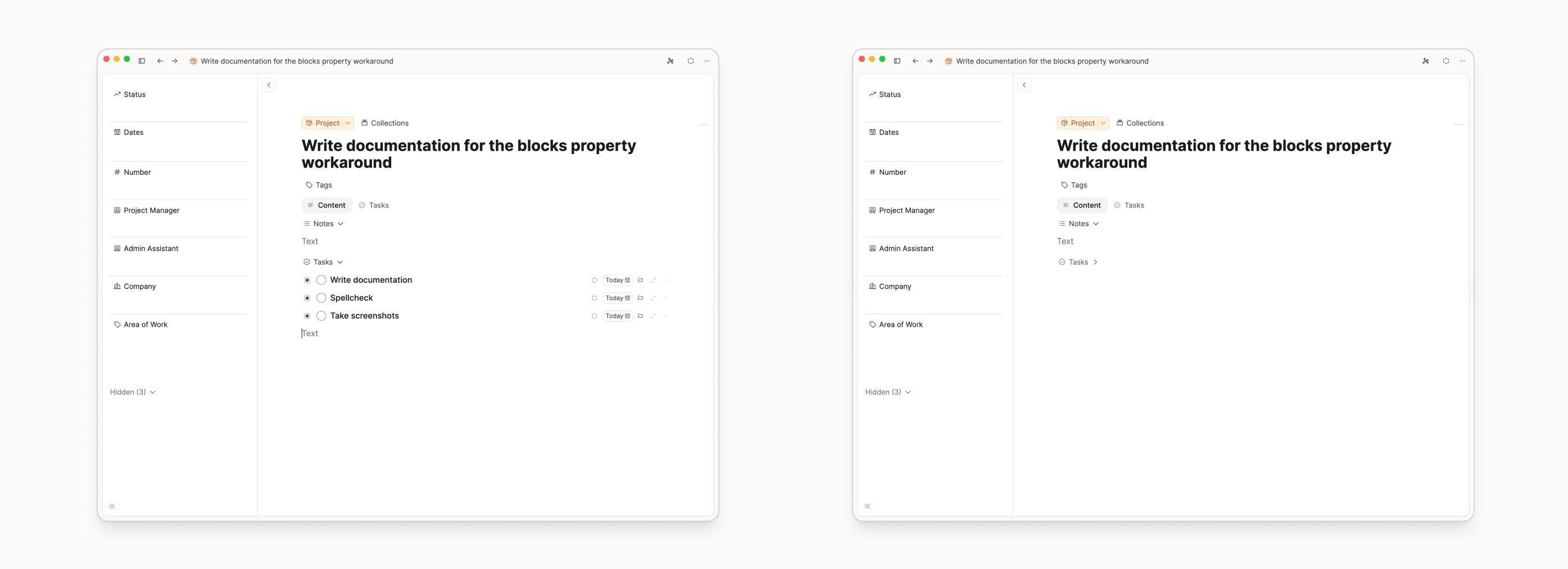
The task must be in the content tab for context to work. There's no workaround for this. However, if the main pain point is that you don't want to see tasks in your content, the best thing to do is to create a second Content property called Tasks in your custom object types. Content properties can be toggled closed:
Setup
Do not delete any Content properties as this is where all your written notes are. Do a full space export or test the functionality with a demo object type first, which you can delete after.
- Do a full space export.
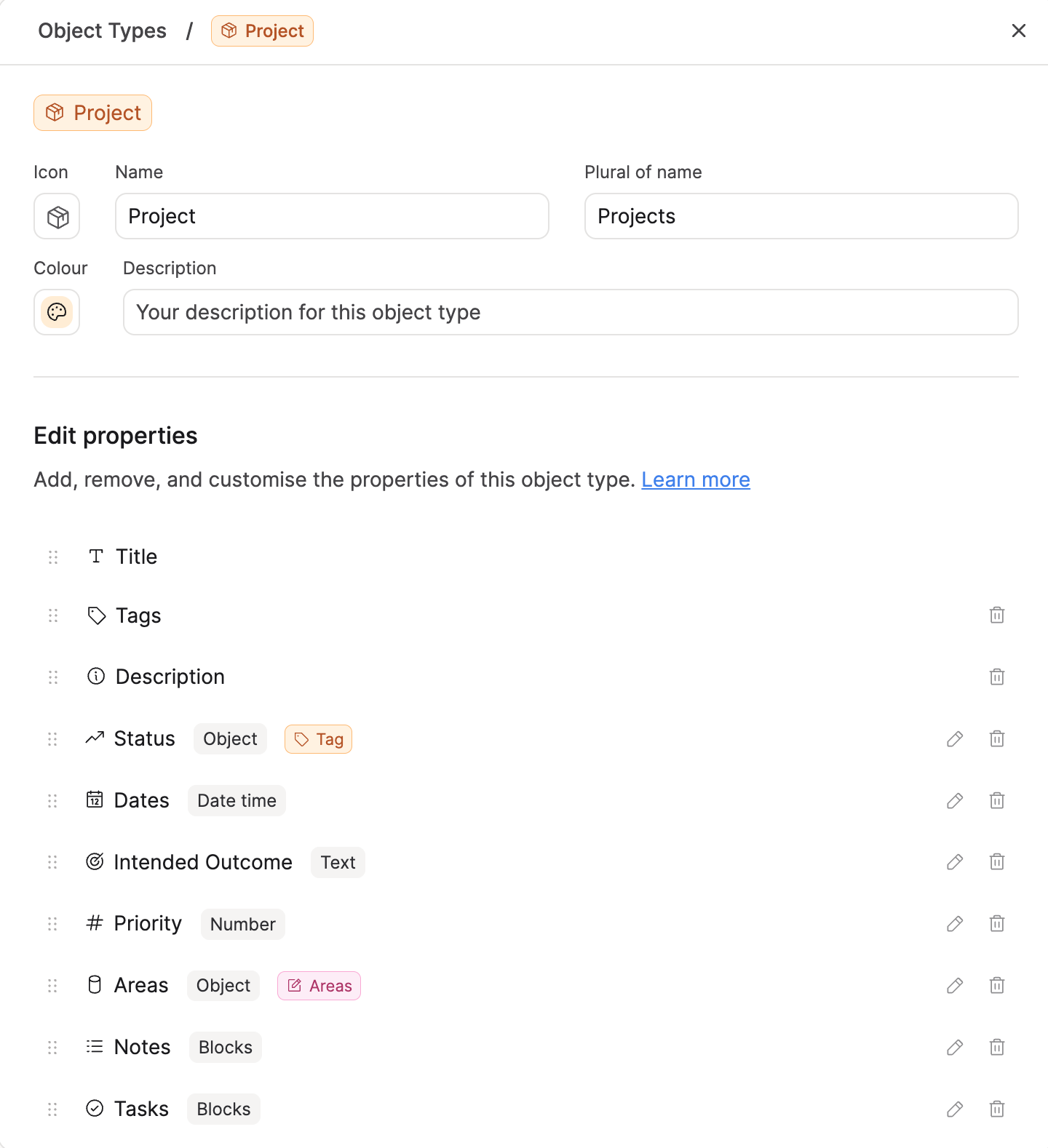
- Open your object type settings
- Navigate to the property section
- Click 'Add property'
- Click 'Content'
- Name it 'Tasks'
- Ensure this property is underneath the existing Content property. Click and drag the property by the 6 dots if it is not. You must have two Content properties. If you delete the one existing Content property, all your written notes will be deleted in that object type.
Moving existing tasks into this Content property
Make sure the Tasks Content property is toggled open. Cick and drag your existing tasks by the 6 dots to the left of the task into the Tasks Content property.
Adding new tasks
If your Tasks Content property is beneath the main Content property (where your notes are), then tasks will automatically be appended to that second section.
You can collapse this section once it has been created. This way, your tasks are technically in your content tab so that the context works, but the tasks can be hidden from your view.
FAQs
- I can't add a Content property to pages, images, weblinks or files
Correct, this is only possible for your custom object types.
Ask a question! - The Docs Assistant knows everything about the documentation, and the ideas and feature requests from other users.
Create a ticket on our feedback board. - Let us know if you have an idea for a feature, improvement or think there is something missing.
Request additions to the documentation. - If your questions are not getting answered, let us know and we will extend the documentation.