Switching guides
Switching from Mem to Capacities
Switching guides
Switching from Mem to Capacities
Mem notes become read-only on December 18, 2026, and Mem closes on January 15, 2027. Download a copy of your library now, even if you have not chosen your next app. If you edit notes after that, export again. See Export from Mem.
If you are actively migrating, read Understanding the paradigm shift first, then follow Import from Mem.
Mem is collection-first and AI-assisted: you capture notes without filing them, and Mem's AI suggests collections, surfaces related notes, and answers questions from your library. Structure mostly happens for you, in the background.
Capacities is more structured: every piece of content is an object with a type, title, properties, and body. You decide what things are, and you connect them with links, tags, and queries. You trade some automatic organization for structure you can see, edit, and rely on.
AI works on top of that structure. Related Content shows similar notes below the object you have open. The AI assistant answers from your notes and proposes changes for you to approve. You can also connect your own AI app to your space through MCP or the API (see AI Chat Connectors).
If zero-effort capture and fully automatic organization are what you love about Mem, Capacities asks more of you up front. If you want your notes to stay organized in a way you control, to still make sense months later, and to be easy to take with you, Capacities is built for that.
Why Capacities
- Your structure is yours. Object types, properties, and links are visible and editable. Nothing is hidden in an AI index.
- AI that helps, not replaces. Related Content, AI chats with your notes, property auto-fill, and MCP connectors all work with the structure you build.
- Your data stays portable. Export your whole space to Markdown at any time. See Export.
- Built to last. Capacities is built by a small, bootstrapped team in Europe, funded by its users. We focus on clear concepts, stability, and a calm product, as outlined in our product principles.
Concept mapping
| Mem | Capacities |
|---|---|
| Note | Object |
| Collection | Object type, tag, or collection (depending on how you used it) |
| Note in many collections | One object type, plus tags |
@ mention of a note | @ mentions and [[ links |
| Related notes | Related Content |
| Heads Up | No direct match. Use Related Content and backlinks |
| Auto-organize | Object types, tags, and queries you set up, with help from the AI assistant |
| Chat with your notes | AI assistant |
| Template | Template on an object type |
| Pin | Tag, collection, or a saved query |
| Shared collection | Sharing individual objects (see Sharing) |
| Voice or meeting capture | Note body, optionally a Meeting object with properties |
Day-to-day differences
Organizing notes
In Mem you can capture everything into one stream and let collections and AI sort it out later.
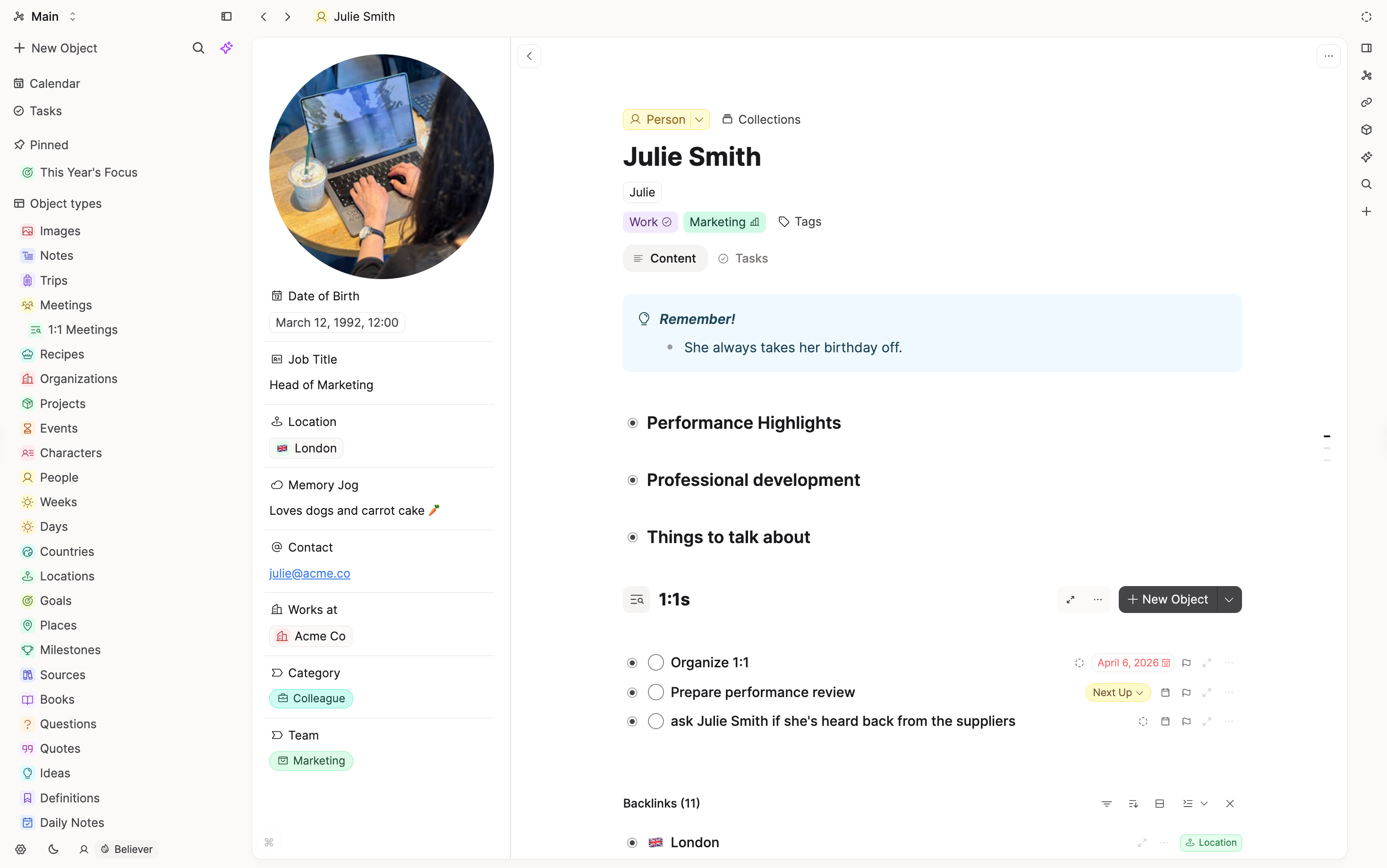
In Capacities you give each object a type (for example Page, Book, Meeting, Person) when you create it. Browsing by type in the sidebar, templates, and properties are first-class. If you are not sure yet, start with Page and change the type later.
Collections and tags
A Mem collection works like a flexible group or structured tag. One note can sit in many.
In Capacities, an object has one type, and everything cross-cutting becomes a tag. Noun-like collections (People, Projects) become object types. Topic-like collections (Investing) become tags.
Finding related notes
Mem surfaces related notes for you. Capacities does too: Related Content shows the closest related objects below the object you have open, with no setup. Open it in the side panel to see more. It is a Pro feature.
Links you make add a second layer. Backlinks at the bottom of each object show everything that links to it, with previews that keep formatting and media, plus filtering and sorting as your space grows.
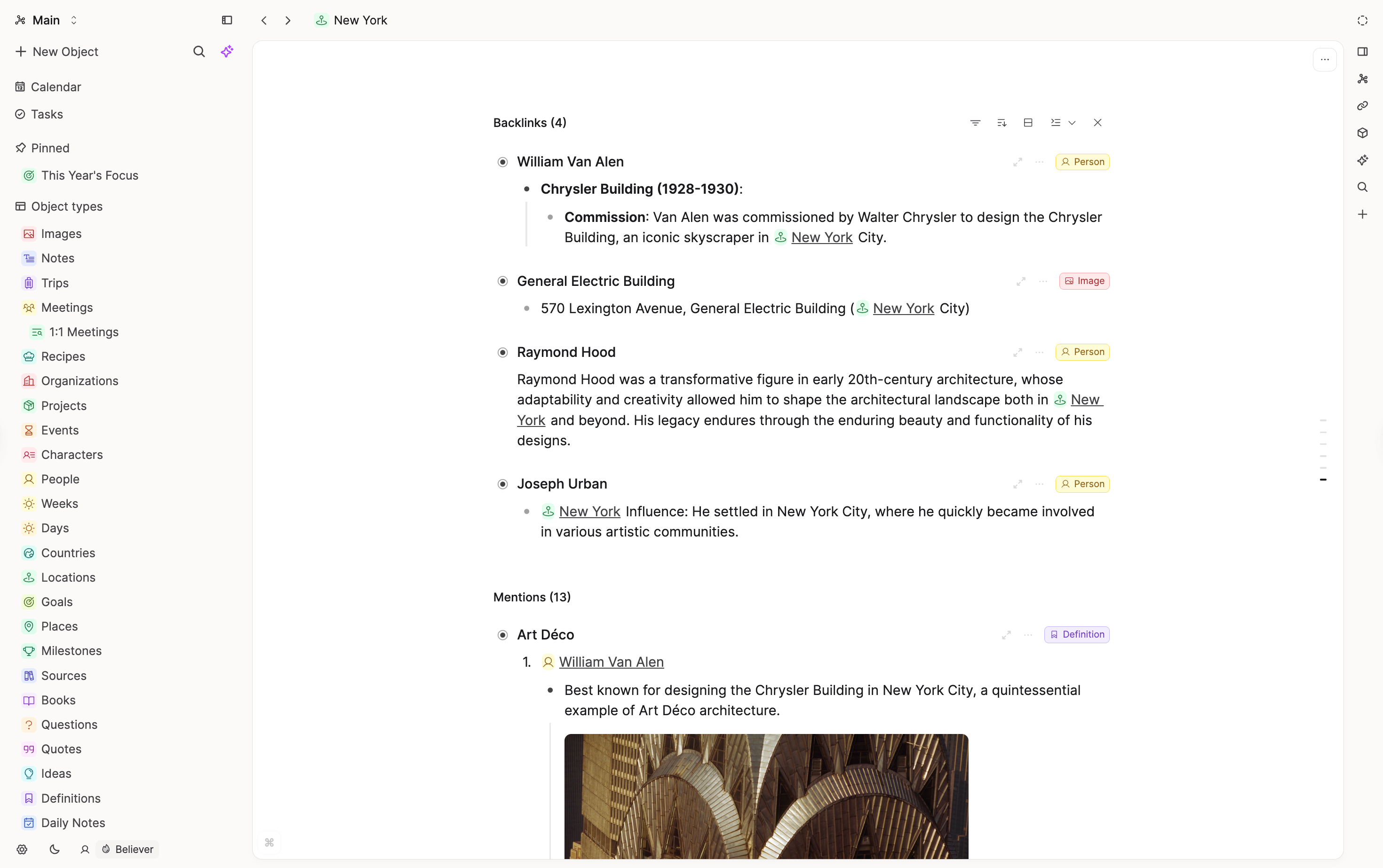
Related Content appears below your notes. It does not pop up while you type, like Mem's Heads Up. Use queries for the groupings you want to see every time.
Capture and meetings
Mem makes quick capture the main thing. Capacities has the daily note as the place to jot things down first, and an object per thing once it deserves its own page. Meetings can be a Meeting object type with properties like date and attendees, linked to the people and projects they involve.
Time and calendar
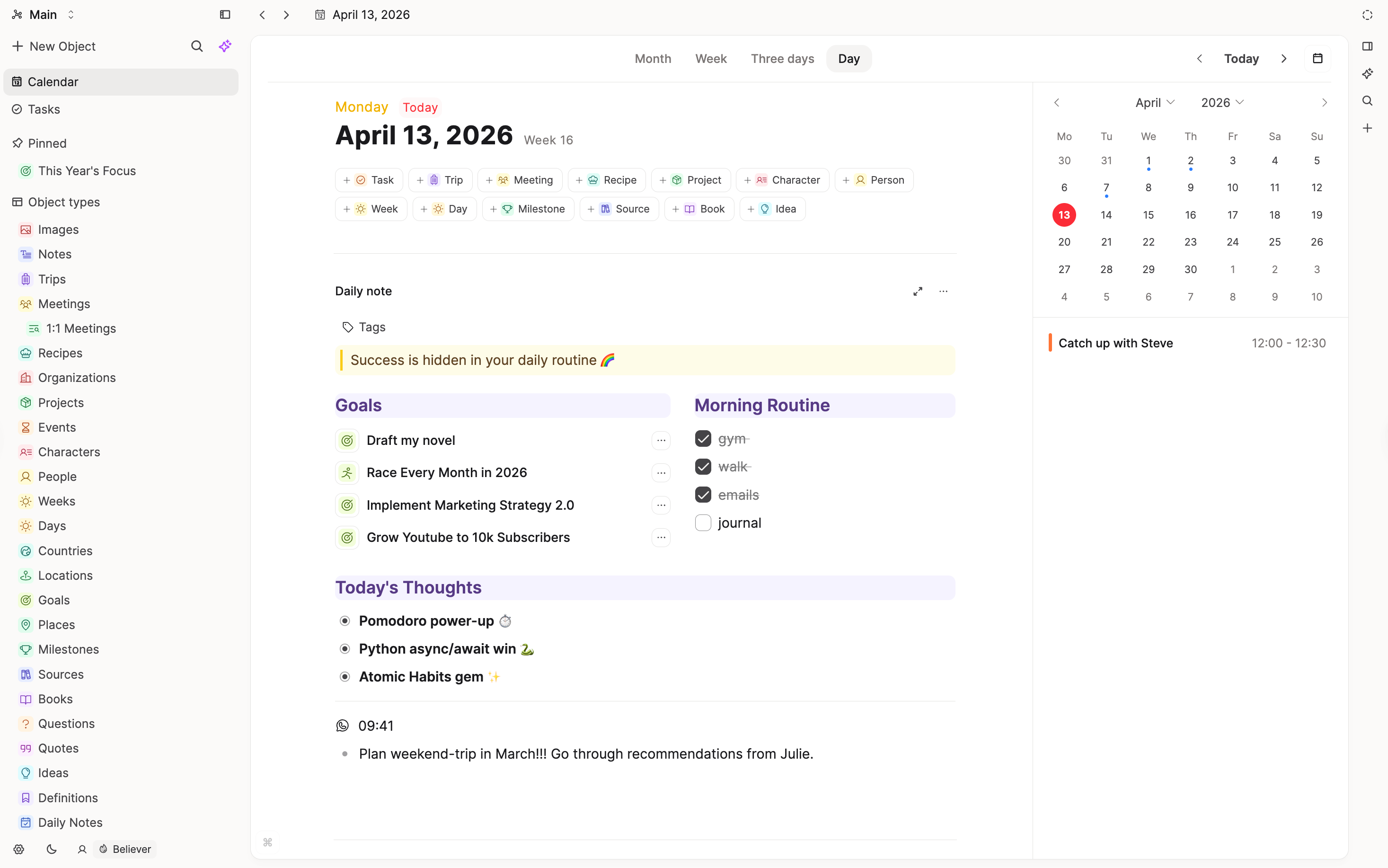
In Capacities, time is central: calendar, multi-day layouts, "created on this day," and references/timeline sections on each day.
Getting started in Capacities coming from Mem
You do not need to rebuild your whole library on day one.
- Save your Mem library. Do this first, before the shutdown dates. See Export from Mem.
- Read your collections. Sort them into noun-like (
People,Projects,Meetings), topic-like (Investing), and workflow (Inbox). - Create a few object types. Start with the nouns you use most, and add the properties you will actually fill in. See When to create a new object type.
- Import a small test batch. Follow Import from Mem.
- Try the daily note. Capture there first, then link or move things into objects as they take shape.
- Add structure as you go. Tags and links for what you reuse, queries for what you want to see together.
For the basics of the app, read Getting started.
Specific features
Export and portability
Mem: You can download your library as a ZIP of Markdown notes, collection indexes, and attachments until January 15, 2027.
Capacities: Export to Markdown on demand (options for media, wikilinks, headings). See Export.
AI
Mem: AI is the core of the product: it organizes, suggests, and answers.
Capacities: AI works with the structure you build:
- Related Content shows semantically similar objects below the one you have open.
- AI chats answer from your notes, plan multi-step work, and propose creates and updates for you to approve.
- AI property auto-fill and image analysis fill in properties for you.
- AI Chat Connectors let an AI app you already use work with your space through MCP or the API.
AI features are part of Pro. Capacities does not reorganize your library in the background.
What doesn't map 1:1
Automatic organization
Mem's auto-organize has no direct counterpart. Capacities does not file notes for you. Use object types, tags, links, and queries, and ask the AI assistant for help when you want it.
Heads Up
Mem's Heads Up shows related notes while you write. In Capacities, Related Content sits below your notes instead.
Collections that hold many types
A Mem collection can mix any kind of note. A Capacities object type groups one kind of thing. Where a collection mixed types, split it before import.
Shared collections
Capacities sharing works per object and is limited by design. Re-share what you need after import.
Mem templates and chat history
Templates need to be recreated in Capacities, and notes made from them import as ordinary notes. Mem's export covers your notes, collections, and attachments, so AI chat history does not come with it.
FAQs
- How long do I have to move?
Mem notes become read-only on December 18, 2026, and Mem closes on January 15, 2027. Export now. You can import into Capacities later. - Is this a one-click move?
No. Capacities cannot import a Mem library directly. You download your notes as Markdown, decide what your collections become, then use Bulk Import in the desktop app. See Import from Mem. - Will Capacities organize my notes for me?
Not in the background. You choose object types, tags, and links. Related Content suggests similar notes, and the AI assistant can propose changes for you to approve. - Will my collections come across?
Not automatically. Use them to decide object types and tags, then import the notes. See Import from Mem. - Is there something like Mem's related notes?
Yes. Related Content shows similar objects below the one you have open. Backlinks show what you linked on purpose.
Import your content
This page is the concept map. When you are ready to move notes, follow Import from Mem.
Ask a question! - The Docs Assistant knows everything about the documentation, and the ideas and feature requests from other users.
Create a ticket on our feedback board. - Let us know if you have an idea for a feature, improvement or think there is something missing.
Request additions to the documentation. - If your questions are not getting answered, let us know and we will extend the documentation.