Switching from OneNote to Capacities
For a feature and pricing comparison, see Capacities vs OneNote on the main website.
When you are ready to move your notes, read Understanding the paradigm shift first, then follow Import from OneNote.
OneNote works like a set of digital binders. Each notebook has sections, each section has pages, and each page is a canvas where you can click anywhere and type. You find things by remembering which notebook and section they are in, or by searching.
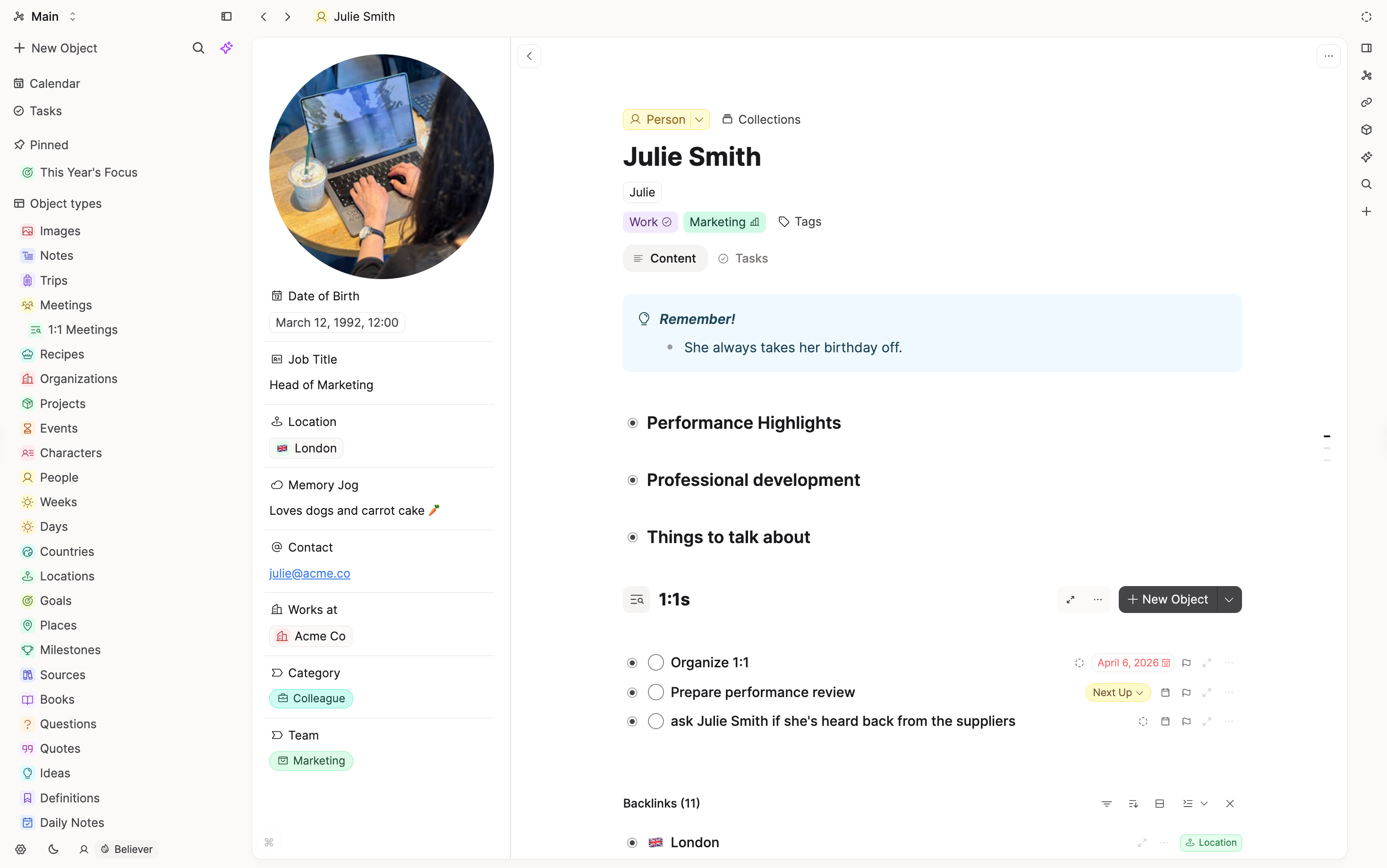
Capacities has no binders. Every note is an object with a type, like a Meeting, a Person, a Project, or a plain Page. Instead of filing a note in the right section, you say what it is and link it to the things it is about. Each note then shows everything that links back to it, so related notes find each other.
If you love OneNote for handwriting and free placement on the page, Capacities will feel different, because notes are written from top to bottom. If you are tired of deciding which section a note belongs in, that is where Capacities helps.
Concept mapping
| OneNote | Capacities |
|---|---|
| Notebook | Usually a set of object types in one space |
| Section | Object type, tag, or collection |
| Section group | Not needed, since there is no folder tree |
| Page | Object |
| Subpage | A separate linked object, or a heading in the parent note |
| Note tag on a line | Todo block, task (Pro), or tag |
| Find Tags | Queries (Pro) and task views |
| Link to a page | Object link with @ or [[, plus backlinks |
| Free-form page | Whiteboard (Pro) |
Day-to-day differences
Where a note goes
In OneNote, a new note starts with a choice of notebook and section. In Capacities, the quickest place to write is today's daily note. Write first, then turn anything bigger into its own object and link it back to the day.
Sections and object types
A OneNote section often holds one kind of thing, like Meetings or Clients. In Capacities, that becomes an object type. Each type has its own properties, so every meeting can have a date and attendees, and every client can have a contact and status, without copying a page template.
The page itself
A OneNote page lets you drop text boxes anywhere. A Capacities note is a block-based page that you read from top to bottom. If a OneNote page mixes meeting notes, tasks, and clippings, it usually works better in Capacities as a few smaller notes linked together. If you want to arrange things freely, use a whiteboard.
Links and backlinks
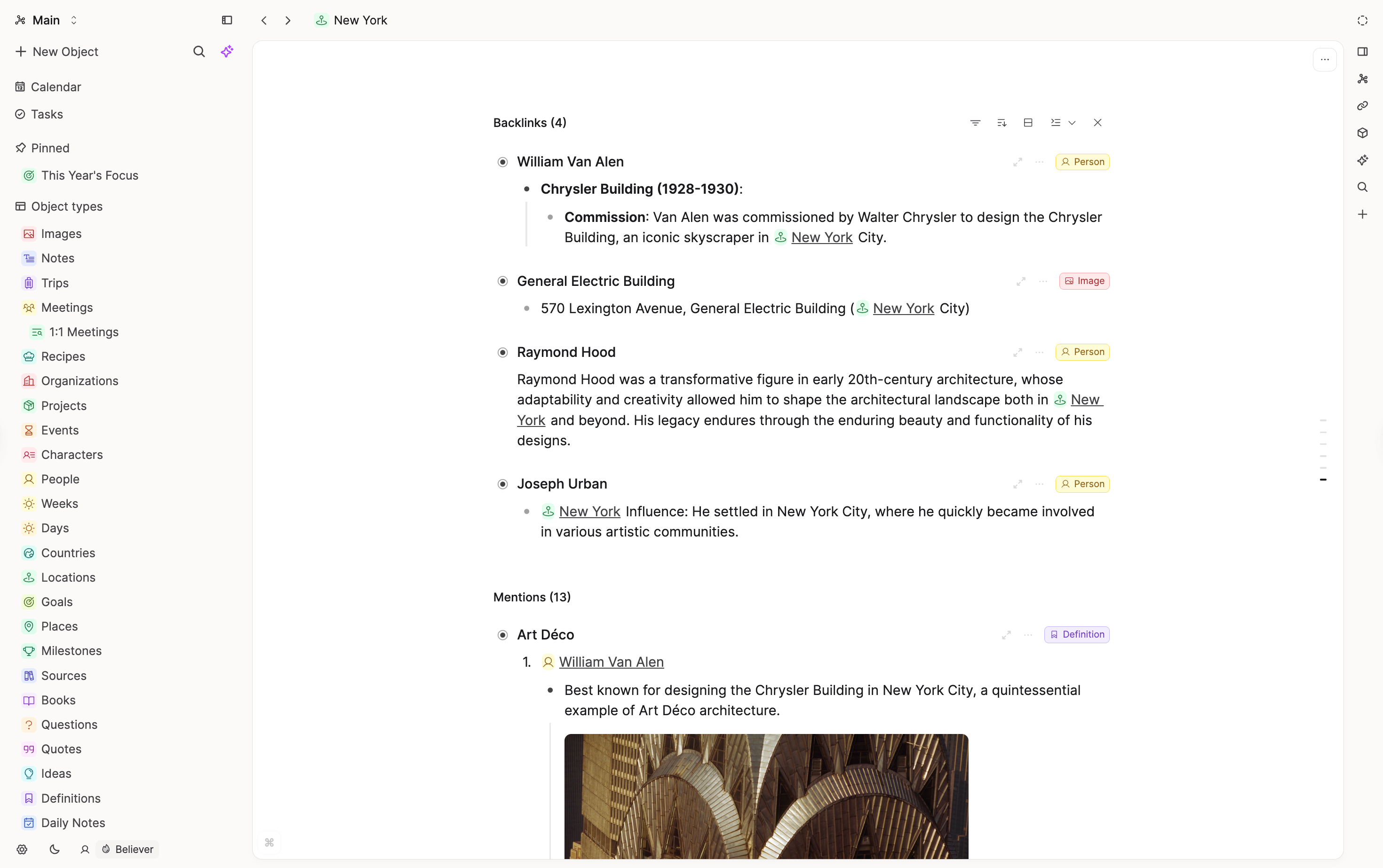
OneNote links point one way. In Capacities, when you link a note with @ or [[, the other note shows a backlink to it. If you link a meeting to a person, the person's page lists every meeting they were in.
Tags and tasks
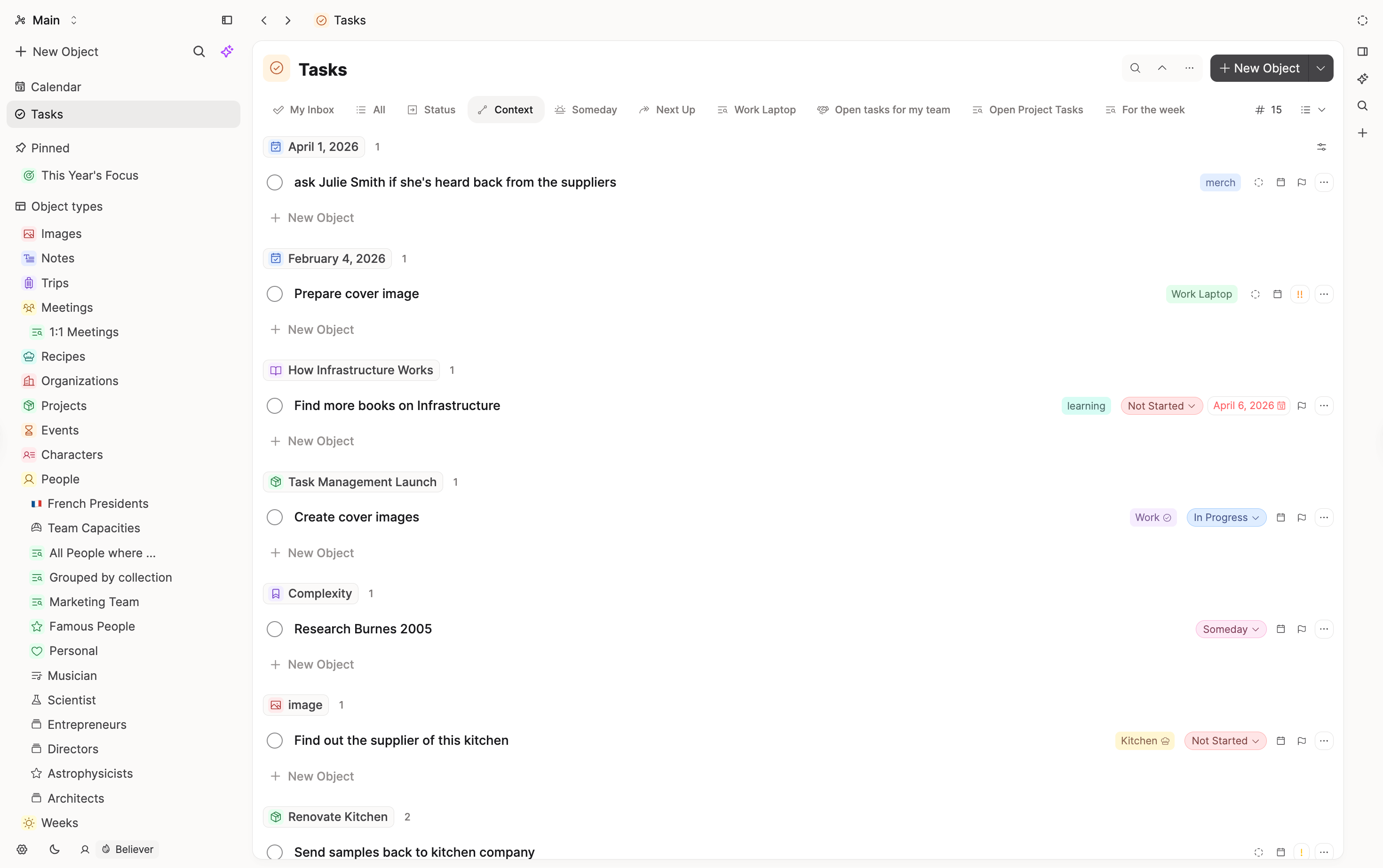
OneNote tags mark single lines, and Find Tags collects them. In Capacities, tags go on whole objects. For to-dos, use todo blocks in a note, or tasks if they need a due date and should show up in your task views.
What does not map one-to-one
Handwriting and ink
OneNote can turn a page into a sketchbook and search your handwriting. Capacities has no ink canvas. Drawings come across as images.
Shared editing
OneNote notebooks can be shared so other people edit them with you. In Capacities, you can share objects for other people to view, but they cannot edit them.
Outlook tasks
Tasks you flagged for Outlook stay in Outlook. Set up anything you still need as tasks in Capacities.
FAQs
- Do I have to rebuild my notebooks before I start?
No. Start with a few types for the things you write about most, like meetings or projects, and add more as you go. - What happens to my sections?
You decide section by section. The import guide walks you through it. - Can I still capture quickly?
Yes. Write in today's daily note, or use the mobile app or the web extension.
Import your content
When you are ready to move your notes, follow Import from OneNote.
Ask a question! - The Docs Assistant knows everything about the documentation, and the ideas and feature requests from other users.
Create a ticket on our feedback board. - Let us know if you have an idea for a feature, improvement or think there is something missing.
Request additions to the documentation. - If your questions are not getting answered, let us know and we will extend the documentation.